The first few hours after an application goes live can feel deceptively quiet.
The deployment succeeds. The homepage loads. The team completes a few checks. Early users begin arriving and nothing obviously breaks.
It is tempting to see this as the moment development ends and maintenance becomes something to think about later, perhaps after the first few bugs appear or once the product has been running for a few months.
That is the wrong dividing line.
App maintenance starts the day an application goes live because production immediately introduces conditions that did not exist during development.
Real users behave differently from testers. Production data grows. Traffic becomes unpredictable. Third-party services are now part of live workflows. Security weaknesses have real consequences. Performance has to hold up on actual devices and networks. And every change made from this point onward has to protect people who are already using the application.
Launch is therefore not the point at which maintenance becomes optional.
It is the point at which maintenance becomes real.
Before launch, most software work is oriented toward getting the application ready.
Teams design features, fix defects, test workflows and prepare infrastructure. If something goes badly wrong, there is usually still an opportunity to delay the release, reset a database, change a configuration or rebuild part of the application without affecting real customers.
Production changes that relationship.
Once users depend on the application, the team has to work around a running system.
A database migration is no longer just a technical operation; it may affect live customer data. A deployment cannot assume nobody is using the product. A performance regression now affects actual users. If authentication fails, people cannot get into their accounts. If an integration stops working, a business process may stop with it.
AWS reflects this directly in its guidance on deployment risk: workload design should include how software will be deployed, updated and operated, with practices for testing changes, using safer deployment strategies and recovering quickly when an update does not behave as expected.
That is why the idea that development happens first and maintenance starts later is misleading.
The first production release is itself the beginning of the application's operational life.
[Internal Link: “What Is Application Maintenance? A Complete Guide to Keeping Your App Healthy”]
A good development team will test an application thoroughly before release.
It still cannot reproduce production perfectly.
Real users bring variations that staging environments rarely capture in full: different devices, network speeds, browsers, account histories, data volumes, usage patterns and sequences of actions. Some users keep tabs open for hours; others submit forms twice. Some have years of data while others have none. Traffic arrives in patterns that were difficult to predict during testing.
This does not mean pre-launch testing failed.
It means testing and production answer different questions.
Testing asks whether the application behaves correctly under the situations the team knows how to test.
Production reveals how it behaves under the situations that actually occur.
That distinction is one reason monitoring becomes a maintenance responsibility immediately after launch.
Google's Site Reliability Engineering guidance recommends watching signals such as latency, traffic, errors and saturation because together they help teams understand how a live service is behaving, rather than waiting for an obvious outage to confirm that something is wrong.
The important point for a newly launched app is not that every team needs an enormous monitoring stack from day one. It is that the team needs enough visibility to answer basic questions:
Are users encountering errors?
Are important requests taking longer than expected?
Is demand approaching a technical limit?
Did the release create behaviour we did not see before?
Without that visibility, early production problems can sit unnoticed until users report them.
In Levelworks' App Health framework, this is the Observable dimension. A live application becomes much easier to maintain when its behaviour can be seen rather than inferred from support tickets.
[Internal Link: “Application Monitoring: What Should You Monitor in a Production App?”]
A launch also changes what performance data means.
Before release, teams can run load tests, profile code and measure response times in controlled conditions. Those tests are useful, but the real application will run on devices, browsers, networks and datasets that the development team does not fully control.
Apple's guidance makes this distinction explicit. Its tools for shipping apps use anonymized production data to show metrics such as launch time, memory use and user-interface responsiveness, allowing developers to identify regressions that appear in particular released versions. Apple also describes performance work as a continuous improvement cycle rather than a one-time optimisation exercise.
That model applies well beyond iOS.
Suppose an API performed comfortably in pre-launch testing. Two months after launch, the underlying table contains ten times more records and one query begins slowing down. Nothing about the original testing was necessarily incorrect; the condition of the system changed.
Or perhaps a page performs well on the devices used by the development team but struggles on lower-powered hardware common among actual customers.
These are maintenance problems because they emerge from the application's continuing use.
Teams that wait for performance to become visibly poor before maintaining it often discover the problem late. A healthier approach is to establish baseline behaviour early and notice when the application begins moving away from it.
That is what the Performant aspect of App Health looks like in practice: not permanent speed, but continued visibility into whether the experience is remaining acceptably fast as the application changes.
Security provides an even clearer reason maintenance cannot wait.
Before launch, an application may already have gone through code review, penetration testing, dependency scanning or other security checks.
Those controls describe its condition at a point in time.
They do not guarantee that the same application will carry the same level of risk six months later.
A vulnerability may be discovered in a package the application already uses. A framework version may become unsupported. An authentication weakness may be identified. A deployment configuration that seemed acceptable during development may need to change as the product begins handling more sensitive information.
The [NIST Secure Software Development Framework] NIST Secure Software Development Framework specifically addresses vulnerabilities in released software as part of secure software development, including identifying residual vulnerabilities, addressing them and considering their root causes so similar issues are less likely to recur.
The software supply chain creates another ongoing responsibility. The [OWASP Top 10:2025 category on Software Supply Chain Failures] OWASP Top 10:2025 — Software Supply Chain Failures highlights risk from unsupported or outdated software, unmaintained third-party components, vulnerable dependencies and poor tracking of components used by an application.
Notice what this means for maintenance.
The application does not have to change for its security position to change.
A dependency can become vulnerable while the application's own code stays exactly as it was on launch day.
The Secure and Current & Updated aspects of App Health therefore need attention from the beginning of production, not from the first anniversary of the launch.
Every dependency in a production application has its own lifecycle.
Frameworks release new versions. Libraries are patched. SDKs change. Runtime versions eventually reach end-of-support. Third-party APIs announce deprecations.
At launch, most teams are understandably focused on whether the current combination works.
After launch, another question becomes relevant:
How long can this combination continue to be supported safely?
That does not mean teams should start upgrading everything the week after release. Maintenance is not the same as chasing every new version.
What matters is knowing what the application depends on and tracking the changes that could eventually affect it.
Consider a third-party API that announces the retirement of an endpoint nine months from now. On the day of the announcement, the application may continue working perfectly.
Technically, nothing needs an emergency fix.
Operationally, however, a maintenance requirement now exists. Someone needs to understand the change, determine what part of the application is affected, plan the update, test it and deploy it before the old interface disappears.
The same applies to supported browsers, mobile operating systems and infrastructure components.
This is why maintenance starts before something breaks.
By the time an outdated component actually stops working, the maintenance opportunity has often existed for months.
Most production applications are not isolated pieces of software.
They depend on external services for payments, authentication, email, messaging, analytics, maps, CRM data, cloud storage, AI functionality or other capabilities.
Before launch, the team usually verifies that each integration works.
After launch, those relationships need to be maintained.
The external provider may change its authentication model or introduce another API version. Rate limits may become relevant as usage grows. A service that responded quickly during testing may occasionally become slow in production.
Maintenance has to account for the fact that these dependencies are partly outside the application's control.
If a payment provider is temporarily unavailable, what happens to checkout? If an email provider rejects a request, is it retried? If an authentication service slows down, does the whole application become unresponsive?
Questions like these become meaningful only when the integration is carrying real traffic.
This is where several Levelworks App Health Aspects meet: an application needs to remain Integrable, but it also needs enough Resilience that a problem outside the application does not automatically create a much larger problem inside it.
Before the first release, deployment is mostly about getting the application into production.
After that, every deployment becomes a change to a system that already has users.
This is a subtle but important shift.
Suppose a team needs to release a small bug fix two weeks after launch. The code change itself may take an hour. The maintenance responsibility is larger.
Has the fix been tested against existing behaviour?
Is the correct version being deployed?
Can the team tell whether the release introduced new errors?
What happens if the deployment fails halfway through?
Can the previous working version be restored?
AWS recommends automated testing and rollback capabilities because they improve deployment reliability and make it possible to return to a known-good state when a change produces an unexpected outcome.
These practices are not reserved for mature applications.
The first post-launch fix already needs them.
That is why Version Controlled, Tested and Seamlessly Updatable belong in Levelworks' definition of a healthy application. If an application can only remain stable while nobody changes it, its apparent stability is fragile.
Launch also creates another maintenance responsibility that staging cannot fully simulate: real people now depend on the application.
A user may forget how a workflow works, encounter an error nobody has seen before, misunderstand an interface or find themselves blocked by a combination of data the team did not anticipate.
Someone needs to own what happens next.
That does not necessarily mean establishing a large customer-support operation on day one. The appropriate model depends on the product.
It does mean there should be a clear route from a user problem to technical investigation.
Who receives the issue?
Who determines whether it is user error, a defect or an external-service problem?
Who can inspect logs?
Who is allowed to deploy a correction?
How is the user informed when the problem is resolved?
This is the distinction between merely having developers who could fix the application and having an application that is genuinely Supported.
An unclear support path tends to become visible at exactly the worst moment: when something has already gone wrong.
Another maintenance responsibility begins quietly at launch: keeping knowledge accurate.
Development documentation often describes how the application was intended to work.
Production begins recording how it actually works.
Perhaps an infrastructure setting needs adjustment after launch. A deployment step turns out to be necessary only in production. A support issue reveals an undocumented dependency. An incident leads the team to introduce a temporary operational procedure.
Every one of those changes can create a gap between the application and the information people rely on to maintain it.
This gap seems harmless while the original team is still present because people remember what changed.
It becomes expensive when someone new has to work on the system.
A Well Documented application does not need an exhaustive manual for every technical decision. It needs enough current information that important operational knowledge is not stored exclusively in people's memory.
That maintenance should begin while the information is fresh, not during a handover two years later.
None of this means a freshly launched application should immediately produce months of maintenance work.
Often, the first backlog is modest.
A production alert needs tuning because it is too noisy. An uncommon browser exposes a visual issue. One API call needs a longer timeout. Documentation needs to reflect the final production configuration. A query performs differently with real data than it did with seeded test data.
This is normal.
The important thing is not whether issues appear. It is whether the organisation has a way to see, assess and handle them.
Launch therefore changes the maintenance question from:
“Do we have anything to fix?”
to:
“How will we know what needs attention?”
That is a much healthier starting point.
A team does not need a mature enterprise maintenance operation before its first customer signs in.
But a few basics should exist before the application is treated as finished.
There should be a named person or team responsible for the operational application. Ownership can be shared, but it cannot be ambiguous.
If an alert fires at 10 a.m. on launch day, someone should know who is expected to look at it.
At minimum, the team should be able to detect whether the application is unavailable and whether significant errors are occurring.
More advanced monitoring can develop as the product matures, but complete blindness should not be the starting point.
A log that says only Something went wrong is rarely helpful.
Important operations should provide enough context for developers to understand what failed without exposing sensitive information.
The precise logging strategy can evolve, but an application should not enter production as an opaque system.
The team should know how a change gets from development into production and what happens when a release has to be reversed.
An improvised deployment process may survive the first release. It becomes dangerous when urgent changes begin arriving.
The workflows the business depends on most should receive particular attention in testing and post-release monitoring.
A product does not need complete automated coverage on day one to be maintainable, but it should not repeatedly discover that its most important workflows have broken only after customers try to use them.
The team should have some understanding of the major frameworks, libraries, APIs and external services on which the application relies.
If nobody knows what those dependencies are, future security and compatibility maintenance becomes unnecessarily difficult.
Users need a way to report problems, and those problems need a route into the technical team when appropriate.
The workflow can be simple. What matters is that it exists.
These foundations do not make the application permanently healthy. They make continued maintenance possible.
The strongest argument for day-one maintenance is not that it will prevent every incident.
It will not.
Production applications still encounter bugs, outages and unexpected behaviour.
The advantage of beginning maintenance early is that problems are usually easier to deal with while the distance between what the team knows and how the application currently works is still small.
The codebase is familiar. The original developers can remember why decisions were made. Dependencies are still relatively current. Deployment procedures were recently used. Test environments resemble production more closely.
As maintenance is postponed, those advantages gradually disappear.
Knowledge leaves with team members. Dependencies drift. Documentation becomes stale. Small workarounds accumulate, while monitoring gaps can allow recurring problems to become normal.
This is the path explored in more detail in [Internal Link: “What Happens When You Stop Maintaining an App?”]. The important point here is simply that delaying maintenance does not pause change; it only delays the organisation's response to it.
There is an important balance here.
Saying maintenance begins at launch does not mean a startup with 50 users needs the same monitoring, incident-management and deployment infrastructure as a global banking platform.
Maintenance should reflect the consequences of failure.
An internal tool may reasonably rely on business-hours support and a modest monitoring setup. A revenue-critical platform may need stronger availability monitoring, faster incident response, more extensive testing and better recovery mechanisms from the beginning.
The principle is proportionality.
Start with the maintenance capabilities required to operate the application safely at its current scale, then strengthen them as its importance and complexity increase.
This is particularly relevant to App Health.
A healthy application does not need to be perfect across all 17 Levelworks App Health Aspects on launch day. It does need enough visibility and operational discipline to know which areas are healthy, which need attention and how that condition changes over time.
Before production, teams can estimate how Observable, Secure, Resilient or Performant an application is.
After launch, those qualities begin producing evidence.
Observability shows whether the team can actually understand production behaviour.
Security maintenance shows whether vulnerabilities can be addressed after release.
Resilience is tested when a real dependency fails.
Performance can be measured across real devices and workloads.
Support is tested when the first user encounters a problem.
Compatibility becomes real when users arrive on environments the development team does not use every day.
Testing and version control matter when the first post-launch change has to be released without disrupting existing users.
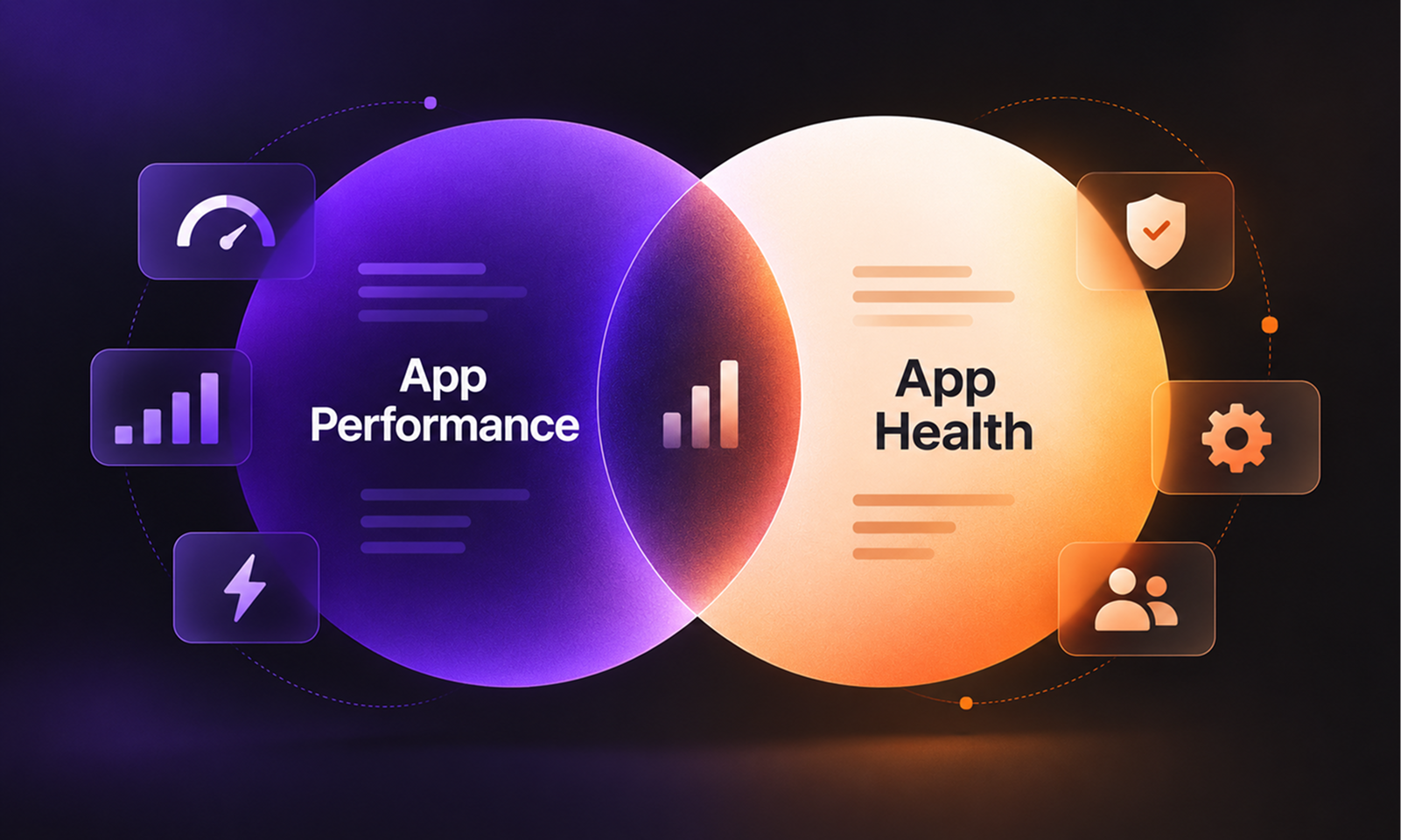
This is why Levelworks views application maintenance and App Health as naturally connected.
Maintenance is the continuing work.
App Health is the condition that work is trying to preserve.
Teams sometimes plan application maintenance as if it were a future phase:
Launch now. Stabilise the product. Start maintenance later.
But the period immediately after launch is already maintenance.
The team is observing real behaviour, responding to issues, adjusting production configuration, learning which assumptions survived contact with users and deciding which weaknesses need attention.
The only question is whether those activities happen deliberately or informally.
A better lifecycle looks less like:
Build → Launch → Wait → Maintain
and more like:
Build → Launch → Operate, learn and maintain continuously
The intensity will change. A newly launched product may receive frequent fixes and adjustments, while a mature application may settle into a more predictable rhythm.
But there is no meaningful gap where the application is live and maintenance has not yet begun.
The moment people depend on the software, its health has to be protected.
That is why app maintenance starts the day your app goes live.