A customer reports that they cannot log in.
The support team confirms the problem, helps the customer regain access and checks whether anyone else is affected. Service is restored.
But why did the login fail in the first place?
Perhaps an authentication library is outdated, a recent release introduced a defect, or a third-party identity provider changed its behaviour. Finding that cause and making the necessary change to the application is maintenance work.
That example captures the simplest distinction:
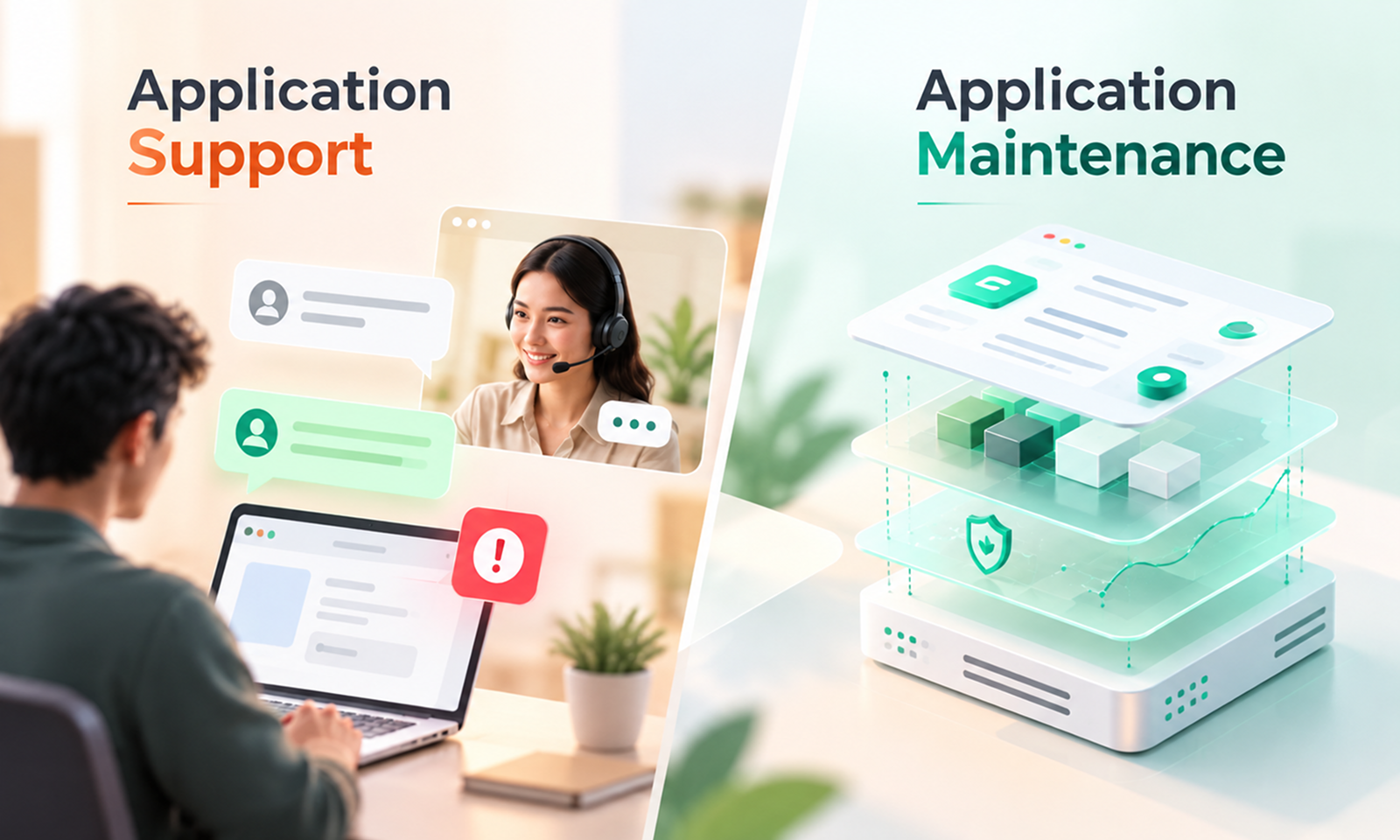
Application support helps people when they encounter problems with an application. Application maintenance changes, repairs and updates the application itself so it continues working properly over time.
The two often work together, which is why the terms are frequently used interchangeably. But they solve different problems, require different processes and should not be assumed to mean the same thing in a service agreement.
Application maintenance
Application support
Primary focus
The condition of the application
The people using or operating the application
Typical trigger
Defects, updates, vulnerabilities, technical deterioration, platform changes
User issue, service interruption, question or request
Typical work
Bug fixes, patches, dependency updates, performance improvements, compatibility fixes
Troubleshooting, ticket handling, incident response, user assistance
Main objective
Keep the application technically healthy and maintainable
Restore service or help the user move forward
Can involve code changes?
Frequently
Sometimes, but often escalated to maintenance/development
Time horizon
Ongoing application health
Immediate or near-term user/service need
Example
Fixing the code that causes intermittent login failures
Helping a user who cannot log in
IBM makes a similar distinction in its description of application management, treating application maintenance as updates, patches and bug fixes, while application support is the assistance and troubleshooting provided to users experiencing problems. IBM: What is application management?
That boundary is useful, although real teams do not always divide the work as neatly as a table suggests.
Application maintenance focuses primarily on the software itself.
Once an application is in production, its code, dependencies, infrastructure relationships and integrations need attention as the environment around them changes. Maintenance is the work required to keep the application functioning correctly and prevent technical weaknesses from accumulating.
It may involve correcting defects, updating dependencies, applying security patches, resolving compatibility issues, improving performance or modifying an existing integration after an external API changes.
The current international standard for software maintenance, ISO/IEC/IEEE 14764:2022, describes a formal maintenance process with defined activities and tasks for sustaining software products. It also makes an interesting distinction: operational functions such as system administration are not themselves considered software maintenance. ISO/IEC/IEEE 14764:2022 — Software maintenance
That distinction helps explain why maintenance should not simply mean “anything that happens after launch.”
Maintenance is primarily concerned with keeping the application technically fit for continued use.
At Levelworks, that work can directly affect App Health Aspects such as Secure, Error Free, Performant, Current & Updated, Tested, Compatible and Seamlessly Updatable.
[Internal Link: “What Is Application Maintenance? A Complete Guide to Keeping Your App Healthy”]
Application support starts from a different place: someone needs help with the application or the service it provides.
That may be an end user unable to complete a task, an internal operations team reporting unusual behaviour, or a business team raising an incident because an important function is unavailable.
Support commonly involves receiving the issue, assessing its urgency, gathering information, troubleshooting, communicating with the affected user and either resolving the problem or escalating it to someone who can.
Microsoft's description of a technical support incident is a useful example. It defines support around a specific problem or symptom and describes it as reactive support focused on an error or functionality that is not working as intended. Microsoft: Technical support incidents
The broader IT service-management model follows the same logic. ServiceNow describes incident management as restoring normal service while minimising business impact. ServiceNow: Incident Management PeopleCert's ITIL material groups practices such as the service desk, incident management and service request management under the broader work of monitoring, supporting and fulfilling IT services. PeopleCert: ITIL 4 Monitor, Support and Fulfil
Support is therefore closer to the operational relationship between the application and its users.
At Levelworks, this aligns most directly with the Supported App Health Aspect, although Observable and Explainable & Debuggable also matter because support teams need enough information to investigate what users are experiencing.
[Internal Link: “What Does Good Post-Launch Application Support Look Like?”]
The difference becomes clearest when an issue can be temporarily resolved without correcting its underlying cause.
Suppose an application's background processing service stops overnight.
Support may restart the service, confirm that processing has resumed and notify the affected business team. From the user's perspective, the immediate problem is resolved.
If the same service stops every Tuesday, however, restarting it each time is not enough.
Someone needs to investigate why it keeps failing and change the application, configuration or infrastructure so the failure does not continue. That moves into maintenance.
This distinction mirrors the difference between incident and problem management in established IT service-management practice. ServiceNow defines incident management around restoring service, whereas problem management focuses on identifying the causes of related incidents. ServiceNow: Problem Management
In practice, the workflow often looks like this:
User problem → support investigation → service restored → recurring or underlying technical issue identified → maintenance change → testing → release
The handoff does not mean support and maintenance are separate silos. It means each function has a different job within the same lifecycle.
The boundary becomes less obvious when resolving a support issue requires technical work.
A support engineer might inspect logs, reproduce a defect and discover exactly which line of code is failing. A maintenance developer may speak directly with the user to understand the behaviour before implementing the fix.
There is nothing wrong with that overlap.
The useful distinction is the purpose of the work, not necessarily the job title of the person doing it.
If the immediate goal is helping a user or restoring an interrupted service, the work is primarily support.
If the goal is changing the application so that it remains correct, secure, compatible or reliable, the work is primarily maintenance.
Some teams have separate support and maintenance groups. Smaller organisations may have the same engineers doing both.
Either model can work as long as ownership is clear.
The difference becomes particularly important when a company contracts an external application partner.
“Application support included” could mean access to a help desk that investigates incidents during business hours.
It does not necessarily mean dependency upgrades, security patches, performance optimisation or ongoing code changes are included.
Likewise, an application maintenance contract may cover planned technical work while offering only limited user-facing support.
This is where vague terminology creates problems. A business assumes a recurring issue will be permanently fixed, while the provider believes its responsibility ends when service is restored. Or the provider expects a framework upgrade to be separately scoped while the customer assumes all updates are included in “support.”
The agreement should therefore make the boundary explicit: who receives user issues, who responds to incidents, who investigates root causes, who can modify the codebase, which updates are included and how work moves from support into maintenance when a permanent technical change is required.
[Internal Link: “What Do Application Maintenance Services Actually Include?”]
For most business applications that remain actively used, yes—but not necessarily in equal amounts.
An internal application with a small, technically capable user base may require very little formal user support while still needing regular technical maintenance. A customer-facing product may generate substantial support activity because thousands of people use it in different ways.
The two functions protect different parts of the application experience.
Support makes sure users are not left alone when something goes wrong.
Maintenance makes sure the underlying application does not quietly become harder to operate, update or rely on.
One without the other creates a predictable weakness. Support without maintenance can turn into repeatedly treating the same symptoms. Maintenance without support can leave technical teams unaware of problems that are obvious to users but invisible in system monitoring.
At Levelworks, this is why Supported is one App Health Aspect rather than a substitute for App Health as a whole. An application also needs to remain Observable, Secure, Resilient, Performant, Current & Updated, Tested, Compatible and maintainable in the broader sense.
The simplest way to remember the distinction is this:
Application support keeps users moving when they encounter a problem. Application maintenance keeps the application itself in a condition where those problems are less likely to persist or multiply.
Both matter after launch, but they are not the same job.