A fast application is not necessarily a healthy application.
A SaaS product might return API responses in under 200 milliseconds and load its main screens quickly while relying on an unsupported framework, carrying known security vulnerabilities or requiring risky manual steps every time a release goes to production.
Its performance may be excellent.
Its overall condition is not.
That is the key distinction between the two concepts:
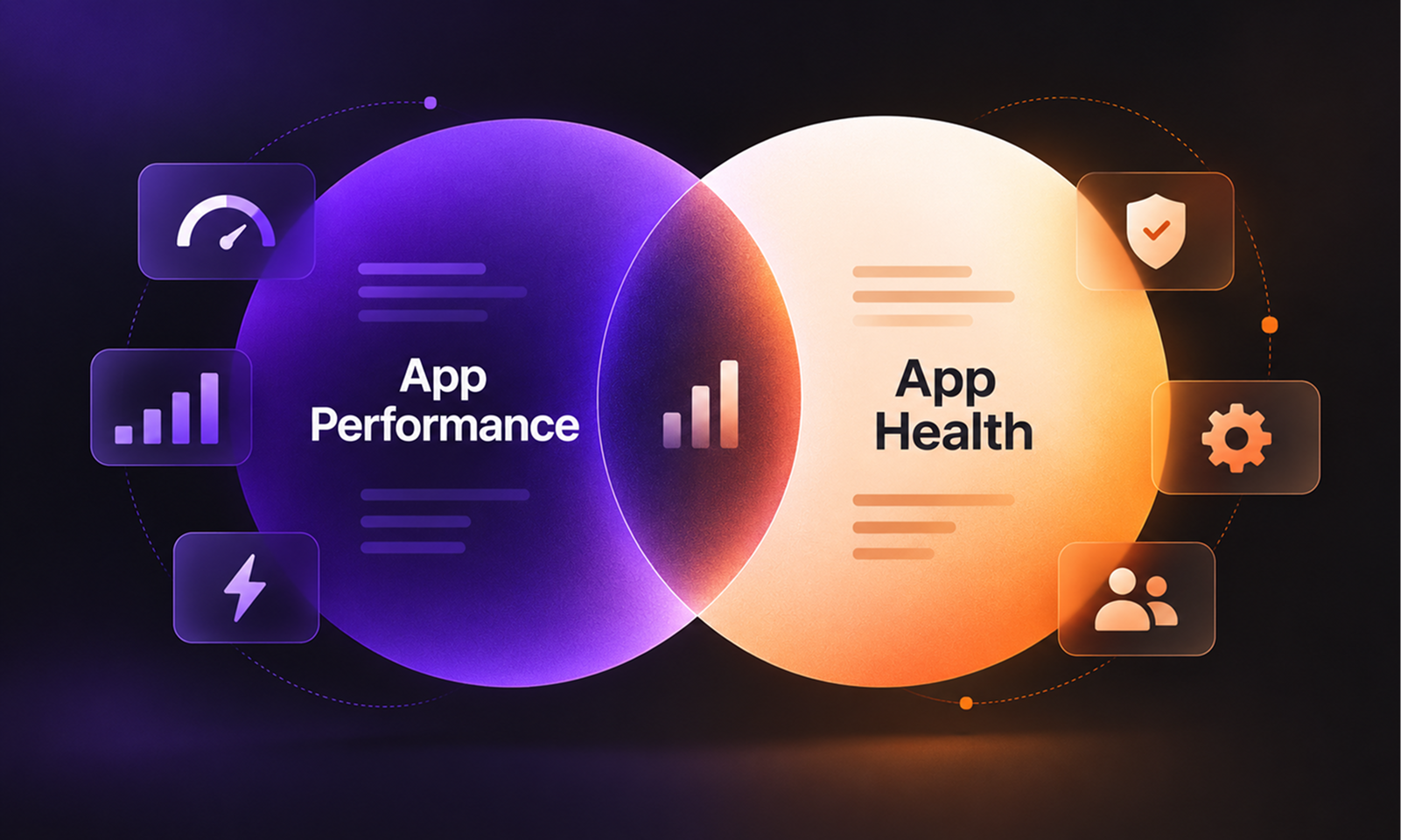
App performance tells you how efficiently an application behaves while it is running. App Health describes the wider condition of the application and its ability to keep working, recovering and changing safely over time.
Performance matters enormously, but it is one dimension of health rather than a substitute for it.
[Internal Link: “What Is App Health? 17 Signs of a Healthy Application”]
Application performance is concerned primarily with how efficiently software behaves during use.
Depending on the product, teams may measure:
For web applications, Google's Core Web Vitals focus on aspects of the user experience such as loading performance, responsiveness and visual stability.
Native applications need different measures. Apple's performance guidance recommends looking at areas including launch time, interface responsiveness, memory use, storage activity and energy consumption.
All of these help answer variations of the same question:
How well is the application performing right now?
That is an important question, but it is narrower than App Health.
At Levelworks, Performant is one of 17 App Health Aspects.
The others examine characteristics that performance metrics cannot tell you much about, including whether the application is Secure, Resilient, Current & Updated, Tested, Integrable, Well Documented, Compatible and Seamlessly Updatable.
That creates the simplest distinction:
App Performance
App Health
Measures how efficiently the app behaves
Assesses the application's broader condition
Focuses on latency, responsiveness and resource use
Includes performance plus security, resilience, maintainability, compatibility and more
Is usually measured through quantitative runtime metrics
Uses metrics alongside operational and technical evidence
Describes current runtime behaviour
Also considers whether the application can remain healthy as it changes
Answers “How well is it running?”
Answers “How healthy is the application overall?”
AWS makes a similar distinction within its Well-Architected guidance. Performance efficiency and reliability are treated separately because a workload can be fast without necessarily being resilient or capable of performing its intended function consistently through failures. AWS Well-Architected: Resiliency and Reliability
Imagine a SaaS application with excellent performance numbers.
Its p95 API latency is comfortably within target, pages load quickly and database queries are well optimised.
Now suppose the application also runs on a framework approaching end-of-support, has weak automated testing and requires a developer to follow several undocumented manual steps whenever production is deployed.
Nothing about those weaknesses has to make the application slow.
Performance could remain excellent while Current & Updated, Tested, Well Documented and Seamlessly Updatable are all weak.
Security provides another obvious example. A vulnerable dependency may have no measurable effect on latency or throughput. Likewise, an unreliable backup process can remain completely invisible in a performance dashboard until the day recovery is required.
This is why performance should never be used as shorthand for overall application health.
The reverse matters too.
Suppose a reporting screen becomes slow after the database grows substantially. The problem is measurable and users notice it, but everything else about the application may be in good condition: monitoring detects the regression quickly, engineers can trace it to a query, test coverage is strong and the team can deploy an optimisation safely.
The application has a Performant weakness that needs attention.
That does not automatically mean the entire application is unhealthy.
In fact, being able to detect, understand and correct the regression is evidence that several other health dimensions are working properly.
Google SRE makes this distinction useful by separating symptoms from causes and recommending signals such as latency, errors and saturation to understand what is happening inside a production service. Google SRE: Monitoring Distributed Systems
App Health provides the surrounding context for the performance problem.
[Internal Link: “Application Performance Optimization: A Practical Guide”]
A slow application is not always suffering from a narrowly defined performance issue.
Suppose API latency rises because the database is nearing its practical limits. The visible symptom is poor performance, but the underlying weakness may be Scalable.
If response times deteriorate only after releases, the deeper issue might involve Tested or Seamlessly Updatable because regressions are repeatedly reaching production.
If a third-party service causes long waits throughout the application, the problem may sit partly within Integrable or Resilient rather than performance alone.
This matters because optimising the visible symptom does not always improve the application's underlying health.
Adding more infrastructure may temporarily reduce latency, for example, while leaving an inefficient architecture or capacity constraint untouched. Similarly, caching can make one workflow faster without solving the reason its underlying query has become increasingly expensive.
App Health encourages teams to ask not only “Why is this slow?” but also “What does this performance problem tell us about the condition of the application?”
A performance dashboard might contain p95 latency, Core Web Vitals, query duration, memory usage and throughput.
An App Health assessment needs additional evidence.
It may look at whether backups have been successfully restored, whether important dependencies remain supported, whether critical integrations are approaching deprecation, whether releases frequently cause incidents or whether operational knowledge exists outside one person's head.
Some of those can be represented numerically. Others are better answered with evidence.
For example:
Performance question: What is the p95 response time of checkout?
Health question: Can we detect when checkout deteriorates, understand the cause and deploy a correction safely?
The second question includes performance, but goes considerably further.
[Internal Link: “How to Measure App Health: The Metrics That Actually Matter”]
Although performance is only one aspect, it does not operate independently.
A slow application may actually be approaching a scalability limit. Google SRE describes saturation as how close a service is to its most constrained resource and notes that latency can increase before a system reaches full utilisation. Google SRE: Monitoring Distributed Systems
Poor performance can therefore signal weakness in Scalable, not only Performant.
Release practices matter as well. If performance repeatedly deteriorates after deployments, the underlying issue may involve inadequate testing or release validation. Google's DORA framework similarly distinguishes software-delivery throughput from stability measures such as change failure and recovery time, recognising that shipping software quickly is not enough if releases repeatedly destabilise production. Google Cloud: Four Keys for DevOps Performance
That interaction is why Levelworks looks at App Health as a connected system rather than a collection of isolated technical scores.
Both.
Performance deserves continuous attention because users experience slow and unresponsive software directly. But teams should resist allowing a strong performance dashboard to create false confidence about the rest of the application.
A useful mental model is:
Performance tells you how the application is behaving. App Health tells you what condition the application is in.
If latency is excellent but the application cannot be safely patched, it is not healthy.
If an application has strong security, testing and recovery but an important workflow has become painfully slow, it is not fully healthy either.
That is why Performant belongs inside App Health rather than beside it.
App performance answers an important question about speed and efficiency.
App Health asks the larger one:
Is the application in a condition where it can continue performing well, safely and reliably as users, technology and the product itself change?