A professional athlete does not stay match-fit simply because they were fit at the end of last season.
If the training, recovery, conditioning and regular checks stop, nothing dramatic may happen on day one. They can still run, compete and look perfectly healthy. The problem appears gradually: recovery takes longer, small weaknesses become injuries, and eventually something that could have been managed early forces them out of the game.
Applications behave in a surprisingly similar way.
An app can continue serving users long after regular maintenance stops. That apparent stability is often what makes neglect easy to justify. But underneath, dependencies are ageing, security risks are changing, data is growing, integrations are moving to newer versions, and the people who understand the system may slowly lose context.
Stopping maintenance does not freeze an application in the condition it is in today. It allows small gaps between the app and the environment around it to grow until one of them becomes impossible to ignore.
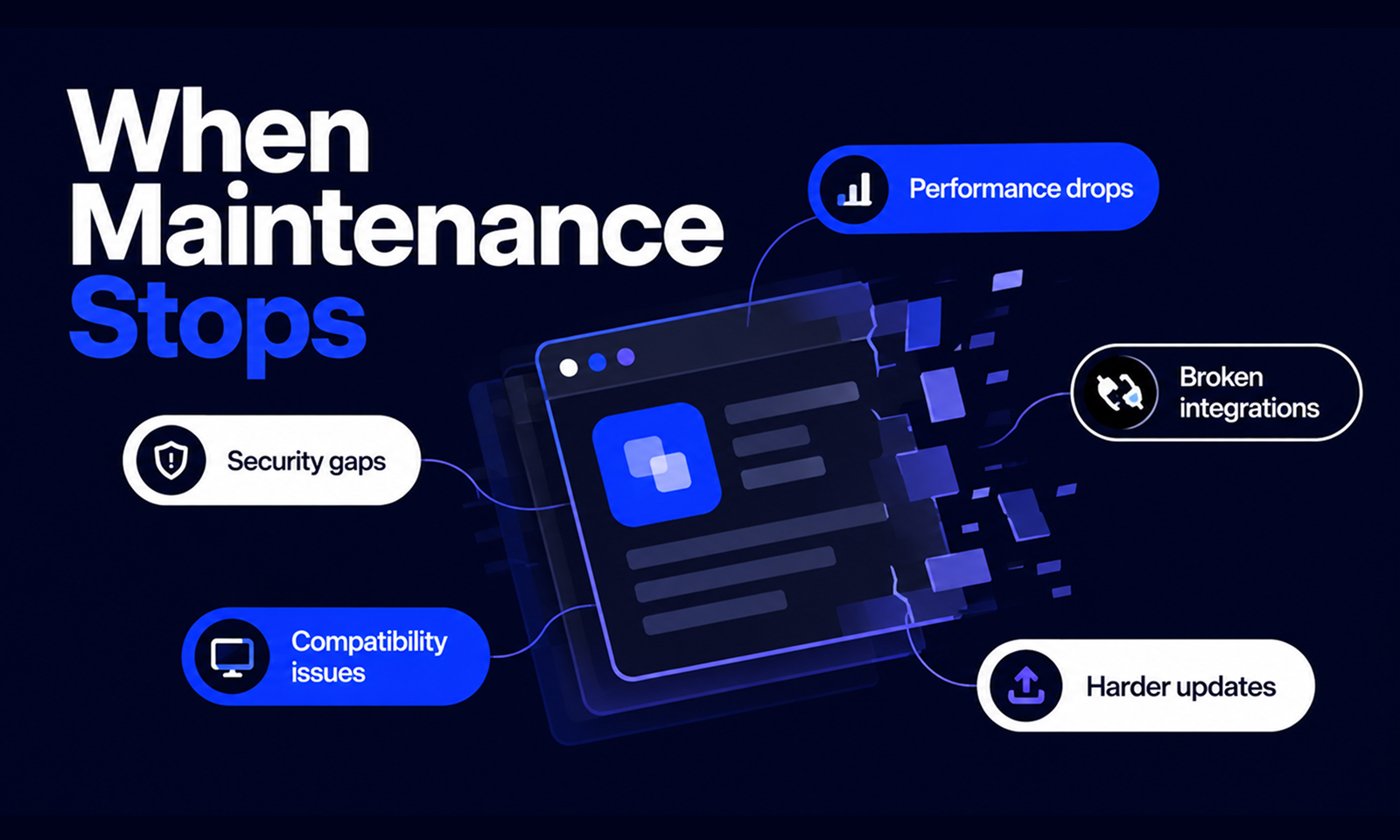
What happens next is rarely one dramatic collapse. More often, the application becomes progressively harder to secure, support, update and change—until work that once would have been routine starts requiring disproportionate effort.
An application does not become unmaintained because developers stop adding features.
A mature product may go months without meaningful feature development while remaining well maintained.
The problem begins when the activities required to keep the existing application healthy start disappearing. Dependencies are no longer reviewed, security patches accumulate, production behaviour is not monitored closely, compatibility with newer environments goes unchecked and recurring technical problems remain unresolved because there is no active maintenance process around them.
The difference is important.
A stable app is one that needs relatively little change because its existing condition is understood and controlled. An unmaintained app is one whose condition is increasingly unknown.
[Internal Link: “Why App Maintenance Starts the Day Your App Goes Live”]
A useful way to think about what happens next is as a progression rather than a single failure event.
As maintenance is deferred
What begins to change
Initially
Few visible problems; technical drift starts quietly
Over time
Dependencies age, vulnerabilities appear and warnings accumulate
As platforms move on
Compatibility and distribution become harder
As usage and data change
Performance and capacity assumptions become outdated
As knowledge ages
Diagnosis, recovery and releases become less predictable
Eventually
Routine updates require disproportionately large amounts of work
Not every application will move through this sequence at the same speed. The direction, however, is common: risks that were once small and independent begin interacting.
If nobody is actively maintaining an application, one of the earliest things to deteriorate is the organisation's understanding of how well the application is actually performing.
The app may still have monitoring installed, but alerts are rarely reviewed. A dashboard created during launch no longer reflects the most important workflows. Logs have become noisier after several infrastructure changes, while a recurring warning is ignored because it has “always been there.”
This matters because small changes in production often provide the first evidence of deterioration.
An API might be getting gradually slower, errors may be increasing for one type of request, or a background process may be taking longer every month as data volumes grow. None of these has to create an outage immediately.
Without ongoing attention, the organisation loses the ability to distinguish normal behaviour from the beginning of a problem.
Google's Site Reliability Engineering guidance recommends monitoring indicators such as latency, traffic, errors and saturation because they reveal how a live system is behaving, including whether it is approaching a constraint rather than already failing. Google SRE: Monitoring Distributed Systems
This is why Observable is the first Levelworks App Health Aspect affected by neglect.
Once visibility weakens, every other maintenance problem becomes harder to manage because the team is no longer finding weaknesses on its own terms. Users, incidents and external deadlines begin finding them instead.
Security is one of the clearest examples of why an unchanged application is not necessarily a stable application.
Suppose a team launches an app using a framework and 80 third-party packages. At launch, there are no known high-risk vulnerabilities relevant to the application's configuration.
Six months later, a security flaw is disclosed in one of those packages.
The application's own code has not changed, yet its risk profile has.
NIST defines patch management as the process of identifying, acquiring, installing and verifying patches for products and systems. NIST notes that patches correct security and functionality problems and are often the most effective way to address software flaw vulnerabilities.
When maintenance stops, that process weakens or disappears.
The problem becomes larger as dependencies themselves age. The OWASP Top 10:2025 category on Software Supply Chain Failures specifically identifies risk associated with software that is vulnerable, unsupported or out of date, as well as unmaintained third-party components and dependencies that cannot be updated. OWASP recommends continuously tracking component versions and applying framework and dependency updates in a timely, risk-based manner.
An unmaintained application gradually moves in the opposite direction.
Components that were current become old, then unsupported. A vulnerability that could once have been solved with a routine update may eventually require several major-version upgrades before the patch can even be applied.
This is one reason Secure and Current & Updated are separate but closely connected parts of Levelworks' App Health framework.
Security problems do not appear only because developers introduce bad new code. They can emerge because old code remains in place while the security context around it changes.
[Internal Link: “Why Dependency Updates Are Essential to App Maintenance”]
Operating systems and platform providers do not promise to preserve every behaviour forever.
APIs become deprecated, browsers remove old capabilities and app stores increase the technical requirements applications must meet.
Android's own documentation explains that APIs may become obsolete as the platform develops, at which point Android deprecates them and directs developers toward newer alternatives. Deprecation may not immediately remove an API, which is part of what makes the risk easy to defer: the old implementation can continue working while official support has effectively moved elsewhere. Android Developers: Deprecations
For mobile applications, continued neglect can have consequences beyond an individual feature breaking.
Under Google Play's target API level policy, existing apps must remain within a defined range of recent Android API levels to stay available to new users on newer Android versions. As of August 31, 2026, Google Play requires existing Android apps to target Android 15/API level 35 or higher to remain available to new users on newer Android devices; new apps and updates have stricter requirements.
This is a concrete example of what “the app still works” can miss.
Existing users may still be able to use an application while its ability to reach new users has already been reduced because the application has fallen behind platform requirements.
Apple similarly changes the SDK and toolchain requirements for applications submitted to the App Store. Its current submission requirements, for example, specify minimum supported versions of Xcode and Apple platform SDKs. Apple Developer: Upcoming Requirements
An application that is never maintained eventually has to confront these changes all at once.
Many applications depend on services that the product team does not control: payment gateways, identity providers, email systems, analytics platforms, CRMs, mapping services, cloud storage or AI providers.
Each connection creates another technology lifecycle that can move independently.
Consider API versioning. Stripe's API documentation, for example, explains that its major API releases can include changes that are not backward-compatible and that upgrading may therefore require changes to existing application code. Stripe provides versioning and testing mechanisms precisely because integrations have to manage those changes deliberately.
A maintained application has someone responsible for reading provider notices, checking deprecations, testing new versions and planning migrations.
An unmaintained application often does not.
This creates a particularly awkward type of failure because nothing inside your own infrastructure needs to go down. The application may be available, the database may be healthy and the frontend may load normally, while the workflow the user actually needs fails because one external service no longer behaves the way the integration expects.
From a Levelworks App Health perspective, Integrable is not simply the ability to connect an API once. It is the ability to keep that connection useful as both systems change.
An application can also become less performant without experiencing a clear “performance incident.”
Data grows. Searches operate over larger indexes. Queries return more records. Background processes have more work to complete, while product usage shifts toward workflows that were lightly used during the original testing.
The problem is rarely that an application goes from fast to unusable overnight. More often, response times increase gradually enough that people adjust their expectations.
This is why production performance is usually treated as a trend rather than a one-off test.
Apple's production tooling allows developers to evaluate measurements such as launch time, memory usage and interface responsiveness across shipping versions, explicitly using the data to identify regressions and plan subsequent performance work. Apple Developer: Analyzing the Performance of Your Shipping App
If maintenance stops, that feedback loop weakens.
A slow query remains because it still completes. A memory problem stays unresolved because crashes are infrequent. Storage consumption is ignored because there is still capacity left today.
The eventual failure can appear sudden even though its causes were visible for months.
This affects both the Performant and Scalable dimensions of App Health. An application may still be performing adequately at its original scale while becoming increasingly unsuitable for the workload it now carries.
Most applications contain some bugs, edge cases and operational quirks.
Maintenance prevents these from becoming permanent.
When maintenance stops, small defects tend to accumulate because each individual problem is easy to tolerate. A user refreshes the page when a particular error occurs, operations reruns a failed job manually, while support keeps a workaround ready for an issue the engineering team no longer prioritises.
The application continues functioning, but part of its normal operation now depends on people compensating for its weaknesses.
This matters because workarounds conceal cost.
A scheduled process that fails twice a month may appear insignificant if restarting it takes five minutes. Over time, however, the organisation becomes dependent on someone remembering to restart it, and nobody investigates the condition causing the failures.
If the person who knows the workaround leaves, the defect becomes visible again.
This is how an application can move away from Error Free, Supported and Explainable & Debuggable without experiencing a dramatic outage.
The software still works, but increasingly only because people around it know what to do when it does not.
Maintenance is also about capabilities the organisation hopes not to use very often.
Backups and recovery procedures are good examples.
A backup job may continue executing automatically for years, but that alone does not prove the data can still be restored into the current application architecture.
AWS explicitly recommends periodically recovering backed-up data to verify both the integrity of the backup and the recovery process rather than assuming that the existence of a backup equals recoverability. AWS Well-Architected: Verify Backup Integrity Through Recovery
An unmaintained application can gradually diverge from its original recovery plan. Database versions change, storage locations move, credentials expire, infrastructure is reorganised and the documentation describing restoration becomes stale.
None of that matters until recovery is required.
Then the organisation discovers whether the process it thought it had still works.
The same decay can affect incident runbooks, rollback procedures and failover mechanisms. Reliability measures that are never exercised should not automatically be assumed to remain valid indefinitely.
That weakens the application's Resilient and Well Documented health aspects even while everyday usage appears normal.
A surprisingly large part of maintainability exists outside the repository.
Someone knows why an unusual configuration flag exists. Another developer remembers that one external API has to be called in a particular order, while a senior engineer knows the production deployment occasionally requires a manual step that never made it into the documentation.
When an application is actively maintained, this knowledge has opportunities to be refreshed, documented or challenged.
When nobody works on the system, the software remains while the context around it disappears.
People change jobs, teams reorganise and vendors are replaced. Sixteen months later, an urgent update requires modifying code that nobody on the current team has touched before.
The application may be exactly as it was, but the organisation's ability to understand it has changed significantly.
This is where maintenance neglect begins to affect Explainable & Debuggable, Supported and Well Documented together.
A technically simple problem can take days to solve because engineers first have to reconstruct how the system works.
This is where individual maintenance problems begin compounding.
Suppose an app is still running on an old framework.
Updating the framework now requires a newer runtime. The newer runtime is incompatible with one dependency, which has itself been abandoned. Replacing that dependency affects a critical workflow that has weak automated test coverage.
The team would like to improve those tests first, but the test environment no longer matches production closely enough to provide much confidence.
None of these problems is impossible on its own.
The difficulty comes from having to solve them together.
An upgrade that would once have required changing one dependency now becomes a coordinated framework, runtime, library and testing project.
This is how maintenance debt differs from a simple maintenance backlog. Deferred work changes shape while it waits.
The team is not merely saving up five separate updates to perform later. The updates become connected, which can make the eventual effort far larger than the original tasks.
[Internal Link: “How Technical Debt Affects the Health of Your Application”]
Maintenance neglect does not only affect operational reliability.
Eventually, it affects the product roadmap.
Imagine the business wants to integrate a new service into a long-unmaintained application. The provider's SDK requires a newer language or framework version than the application currently uses.
The product team cannot begin the feature immediately because engineering first needs to modernise the foundation.
Or perhaps a seemingly simple change touches a module with almost no reliable tests. Instead of making the change directly, engineers spend time understanding old behaviour and manually checking unrelated workflows because nobody knows exactly what the module affects.
That delay is an indirect maintenance cost.
It rarely appears in the budget as “cost of not maintaining the application.” It appears as a feature estimate that takes six weeks instead of two.
Eventually, teams begin designing around the limitations of the application rather than improving it. Certain components become “do not touch” areas because changing them is perceived as too risky.
An application in that condition may still be operating successfully every day, but its Tested, Version Controlled and Seamlessly Updatable health has weakened enough that the business is paying for the problem through slower change.
Compatibility and platform restrictions create another important consequence: an application may continue functioning for existing users while becoming progressively less available to everyone else.
Google Play's current target API policy is an unusually clear example because applications that fall too far behind are restricted from discovery by new users running newer Android versions.
Web applications experience a softer version of the same problem.
A browser introduces a change that affects one interaction. A newer device exposes a layout issue. An accessibility feature behaves incorrectly after the interface evolves around it.
No single change removes the application from the internet.
Instead, the number of environments in which the product behaves as intended slowly contracts.
That is what deterioration in the Compatible dimension of App Health looks like.
The application is not “down.” It simply works properly for fewer people than it once did.
For applications subject to regulatory, contractual or industry requirements, stopping maintenance can create another form of drift.
Requirements may change, security controls may need updating or the business may begin using the application in a way that introduces obligations that were not relevant to the original implementation.
Compliance is highly context-specific, so an ageing application should not automatically be described as non-compliant.
The real risk is that nobody is checking.
A control implemented several years ago may still operate exactly as designed while no longer matching the organisation's current requirements. Documentation may also fall behind the application's real configuration, making audits harder even when the underlying system remains technically sound.
For Levelworks, this is why Compliant is treated as an aspect of application health that needs to remain current rather than a certificate obtained once and forgotten.
There is no useful universal answer such as six months or two years.
The rate depends heavily on what the application relies on and what happens when something fails.
An app with few dependencies, limited usage and a stable operating environment may continue functioning for years with little intervention. A mobile app tied closely to annual operating-system releases, by contrast, may need more regular compatibility work.
The risk tends to rise faster when an application has:
Characteristic
Why neglect matters more
Many third-party integrations
More external systems can change independently
Rapidly growing data or traffic
Original performance and capacity assumptions age faster
Sensitive data
Security weaknesses carry greater consequences
Mobile platform dependencies
OS and app-store requirements continue moving
Frequent business changes
The app has to adapt more often
Weak automated testing
Catching up becomes riskier
Knowledge concentrated in a few people
Maintainability drops sharply when those people leave
High downtime cost
Small maintenance gaps can create significant business impact
This is why maintenance should be proportional to the application's risk and importance rather than scheduled using an arbitrary industry rule.
An application can continue satisfying its most basic test—users can access it—while its overall health deteriorates considerably.
It may no longer be fully Secure because dependencies are out of date, no longer strongly Observable because alerts have become unreliable, less Performant as data grows, increasingly difficult to keep Compatible, and far from Seamlessly Updatable because every change now carries unusual risk.
This is where Levelworks' App Health framework becomes useful.
The question is not simply whether the application has failed.
It is whether the conditions that make continued operation dependable are still present.
That distinction explains why maintenance neglect can remain invisible for such a long time. Most health aspects weaken before they disappear completely.
There is no precise boundary where an unmaintained app becomes a legacy application.
The transition becomes noticeable when bringing the system back to a healthy state requires more than routine work.
Instead of applying one dependency update, the team has to upgrade the entire framework.
Instead of fixing one integration, it has to replace a third-party service that has already retired the API the application uses.
Instead of releasing a normal feature, the team first needs to rebuild the test environment and document the old architecture.
At this point, the organisation is no longer simply maintaining the application. It is recovering maintainability.
That may still be worth doing, especially when the application carries valuable business logic or would be expensive to replace. In other cases, the accumulated effort raises a different question: whether the application should be maintained, modernised or rebuilt.
That decision deserves a separate analysis because age alone is not enough to determine the answer.
What matters here is how the application reached that point.
Usually, it was not one catastrophic decision to stop caring for the software. It was a long sequence of small maintenance tasks that were reasonable to postpone individually but expensive to face together.
Stopping application maintenance does not normally produce an immediate outage.
That is what makes neglect so easy to rationalise.
For months, the app may continue delivering the same screens and completing the same workflows. Meanwhile, dependencies age, security advisories accumulate, platform expectations move, integrations become less current and operational knowledge fades.
Eventually, one of those gaps becomes visible.
A security update can no longer be applied cleanly because the framework is too old. A mobile app has to catch up with several platform changes before another release can be submitted. An API migration becomes urgent because the existing version is nearing retirement. A feature that should have been straightforward turns into a larger project because engineers have to understand years of untouched code first.
At that point, the business is not dealing with the cost of one missed maintenance task.
It is dealing with the interaction between many of them.
That is the central risk of leaving an app unmaintained.
The application does not stop changing simply because your team stops changing it. Its environment keeps moving, and the gap between the two gets wider until something forces the organisation to close it.
Regular maintenance keeps that gap small enough to manage.
Without it, a working app can remain operational for a surprisingly long time while becoming steadily less healthy underneath.