Imagine four items appearing in an application's maintenance backlog during the same week.
Checkout sometimes calculates the wrong discount. A forthcoming Android release deprecates an API the mobile app relies on. Users complain that generating a large report takes too long. Meanwhile, engineers have identified a fragile piece of payment code they want to restructure before the next major release.
All four involve changing software that is already in production. But they are being changed for different reasons.
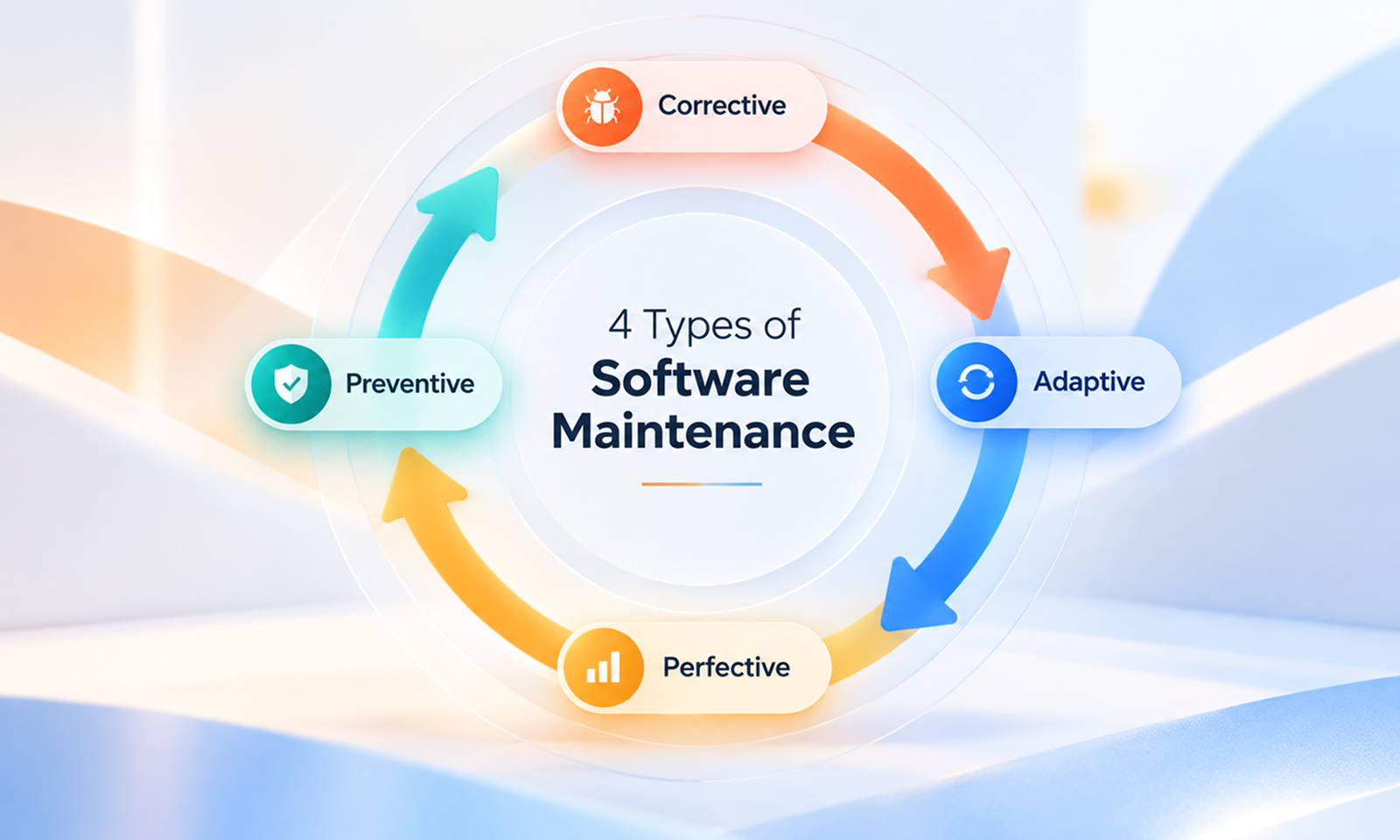
That distinction is the basis of the four commonly used types of software maintenance:
The categories are useful because “maintenance” covers a wide range of engineering work. Classifying a change by its purpose makes it easier to understand why the work is necessary, how urgent it is and what outcome the team expects.
The current ISO/IEC/IEEE 14764:2022 software maintenance standard establishes definitions and processes for software maintenance, while IEEE's overview of software maintenance uses the corrective, adaptive, perfective and preventive categories to distinguish the main reasons software is modified after delivery.
[Internal Link: “What Is Application Maintenance? A Complete Guide to Keeping Your App Healthy”]
The simplest way to distinguish them is to look at what triggered the change.
Type
Why the change happens
Simple example
Corrective
Something is already wrong
Fixing a checkout calculation bug
Adaptive
Something outside the app has changed
Updating an app for a new operating-system requirement
Perfective
The existing product could work better
Making a slow reporting workflow faster
Preventive
A weakness may cause trouble later
Refactoring fragile code before it begins causing failures
IEEE's software-maintenance overview makes another useful distinction: corrective and preventive maintenance are primarily corrections, while adaptive and perfective maintenance are enhancements to an existing system.
That does not mean every piece of work fits into a perfect box. Real maintenance tasks can overlap. The value of the categories is in identifying the main reason the change is being made.
Corrective maintenance is the easiest category to recognise.
A defect exists in the released application and needs to be corrected.
The problem may have been reported by a user, found during testing, detected through monitoring or discovered while investigating another incident. What matters is that the software is already behaving differently from how it is supposed to behave.
The IEEE description is straightforward: corrective maintenance deals with faults discovered after delivery, from urgent production fixes to defects that can wait for a scheduled release. IEEE: Software Maintenance
Examples include:
Corrective work can vary considerably in urgency. A typo in an administrative screen and a defect preventing customers from completing payment are both corrective maintenance, but they should clearly not be handled with the same priority.
It is easy to equate corrective maintenance with firefighting, but a known defect does not always need an immediate hotfix.
Suppose an error affects an obscure administrative workflow used twice a year. The team may document the issue and include the correction in its next scheduled release.
The work is still corrective because its purpose is to repair a known fault.
An emergency production fix is simply one particularly urgent form of corrective work.
Corrective maintenance contributes most obviously to Levelworks' Error Free App Health Aspect, but it also depends heavily on the application being Observable and Explainable & Debuggable. Finding a bug is much easier when logs, monitoring and diagnostic information help engineers understand what actually went wrong.
Adaptive maintenance is different because the application may not have anything wrong with it when the work begins.
Instead, something around it has changed.
The software has to adapt so it remains usable in a new or changing environment. IEEE gives examples such as operating-system upgrades, database migrations and external API changes.
Consider a mobile application that relies on an operating-system API. The code works correctly today, but the platform provider announces that the API is being deprecated and developers should move to a replacement.
Google's Android documentation provides real examples of this process. Android releases regularly deprecate older APIs when platform behaviour changes or newer alternatives become available, and developers are directed toward the replacement APIs. Android Developers: API Deprecations
Nothing necessarily “broke” inside the app.
The environment moved, so the application has to move with it.
Other examples of adaptive maintenance include:
The common thread is that the trigger comes from outside the existing application.
Software often depends on technology whose lifecycle is controlled by somebody else.
Operating systems introduce new requirements, cloud providers retire services, APIs reach end-of-life and frameworks change their supported environments. An application that never adapts eventually becomes separated from the ecosystem it needs to operate in.
Within Levelworks' App Health framework, adaptive maintenance is closely connected to keeping an application Current & Updated, Compatible and Integrable.
The aim is not to chase every technology change. It is to respond to the external changes that materially affect the application's ability to continue doing its job.
[Internal Link: “Why Dependency Updates Are Essential to App Maintenance”]
Perfective maintenance begins with software that already works, but could work better.
IEEE describes perfective maintenance as improvements beyond the original state of the product, including user-requested enhancements, documentation improvements and changes intended to improve efficiency or maintainability.
Suppose customers can already generate reports successfully, but reports containing several years of data take too long to produce. Optimising the underlying queries would be perfective maintenance: there is no defect preventing the report from working, but the application's performance can be improved.
Other examples include:
Perfective maintenance often develops from what teams learn after release.
Software used by real people generates information that cannot always be obtained during development. Teams discover which workflows matter most, where users hesitate, which operations become slow with real data and which parts of the codebase are difficult to change.
Perfective maintenance uses that information to improve the existing product.
This boundary is not always precise.
Improving the speed of an existing reporting feature clearly fits perfective maintenance. Building an entirely new reporting platform probably looks more like product development.
A useful test is to ask whether the work is primarily improving or extending an existing capability or creating a substantially new product capability with its own requirements, architecture and development effort.
Contracts may draw the boundary differently, so organisations should not assume that every enhancement automatically belongs inside a maintenance agreement.
From an App Health perspective, perfective maintenance commonly strengthens qualities such as Performant, User Friendly & Delightful, Scalable and, where internal structure is improved, Explainable & Debuggable.
Preventive maintenance is the least visible of the four categories because it often addresses a problem users have not experienced yet.
Engineers identify a weakness in the application and change it because leaving it alone increases the chance of future failure, security exposure or maintenance difficulty.
IEEE describes preventive maintenance as finding and correcting latent faults before they turn into operational faults.
Examples might include:
Refactoring is a common example.
Martin Fowler defines refactoring as changing the internal structure of software so that it becomes easier to understand and cheaper to modify without changing its observable behaviour. Martin Fowler: Definition of Refactoring
That is often preventive maintenance in practice: users may see no difference after the release, yet the application becomes less likely to create problems during future changes.
Google's engineering guidance makes a similar point from a code-health perspective, warning that codebases can deteriorate through many small reductions in maintainability over time and encouraging changes that improve overall code health. Google Engineering Practices: The Standard of Code Review
Preventive work can become wasteful if teams use it as an excuse to rewrite anything they dislike.
Good preventive maintenance should address a recognisable risk.
There should be a reason to believe the current condition could create future problems: repeated difficulty modifying a module, unsupported technology, poor testability, unsafe configuration, unreliable deployment steps or code that has already produced near-misses.
The goal is not to make every part of the application theoretically perfect.
It is to deal with weaknesses while they are still cheaper and safer to correct.
[Internal Link: “Preventive App Maintenance: How to Fix Problems Before Users Find Them”]
One of the most useful things to understand about these categories is that the task itself does not determine the category; the reason for doing it does.
Take a dependency update.
It could be corrective maintenance if the current dependency contains a defect that is already causing production failures.
It could be adaptive maintenance if the application needs a newer version because the operating system or another external platform has changed.
It could be perfective maintenance if the newer dependency materially improves the performance of an existing feature.
Or it could be preventive maintenance if the current version contains a known weakness that has not yet caused an operational problem.
Security patches provide another good example. NIST defines patch management as identifying, acquiring, installing and verifying changes that correct security or functionality problems. NIST: Patch Management
But “applying a patch” is not itself a fifth maintenance category. Depending on why the patch is needed, the work may be corrective, adaptive or preventive.
This is why maintenance tickets are more useful when they describe both the work and the reason for it.
When the category is unclear, ask what triggered the work.
That points to corrective maintenance.
“The login flow occasionally returns an error and we need to fix it.”
That points to adaptive maintenance.
“Our authentication provider is retiring the API version we currently use.”
That points to perfective maintenance.
“The search works correctly, but response time is poor on large datasets.”
That points to preventive maintenance.
“This module is becoming difficult to change safely, so we should restructure it before the next feature release.”
That decision model is often more useful than trying to classify work based on whether it involves a bug fix, refactor, upgrade or code change.
There is some overlap, but these are different ways of describing maintenance.
Corrective maintenance is usually reactive because a defect has already been discovered.
Preventive maintenance is inherently proactive because it acts before an operational fault appears.
Adaptive maintenance often happens in response to an announced external change, but teams may have months to prepare for it. Perfective maintenance is generally planned because the application is already functioning.
The distinction matters because a maintenance programme made almost entirely of corrective work will feel very different from one that has enough capacity for adaptive, perfective and preventive improvements.
[Internal Link: “Reactive vs Proactive App Maintenance: Which Approach Costs Less?”]
Levelworks' App Health Aspects offer another way to look at the outcome of these maintenance categories.
Maintenance type
App Health Aspects it commonly strengthens
Corrective
Error Free, Supported, Explainable & Debuggable
Adaptive
Current & Updated, Compatible, Integrable, Compliant
Perfective
Performant, User Friendly & Delightful, Scalable
Preventive
Resilient, Secure, Tested, Explainable & Debuggable
These relationships are not fixed. A single maintenance change can improve several aspects of application health.
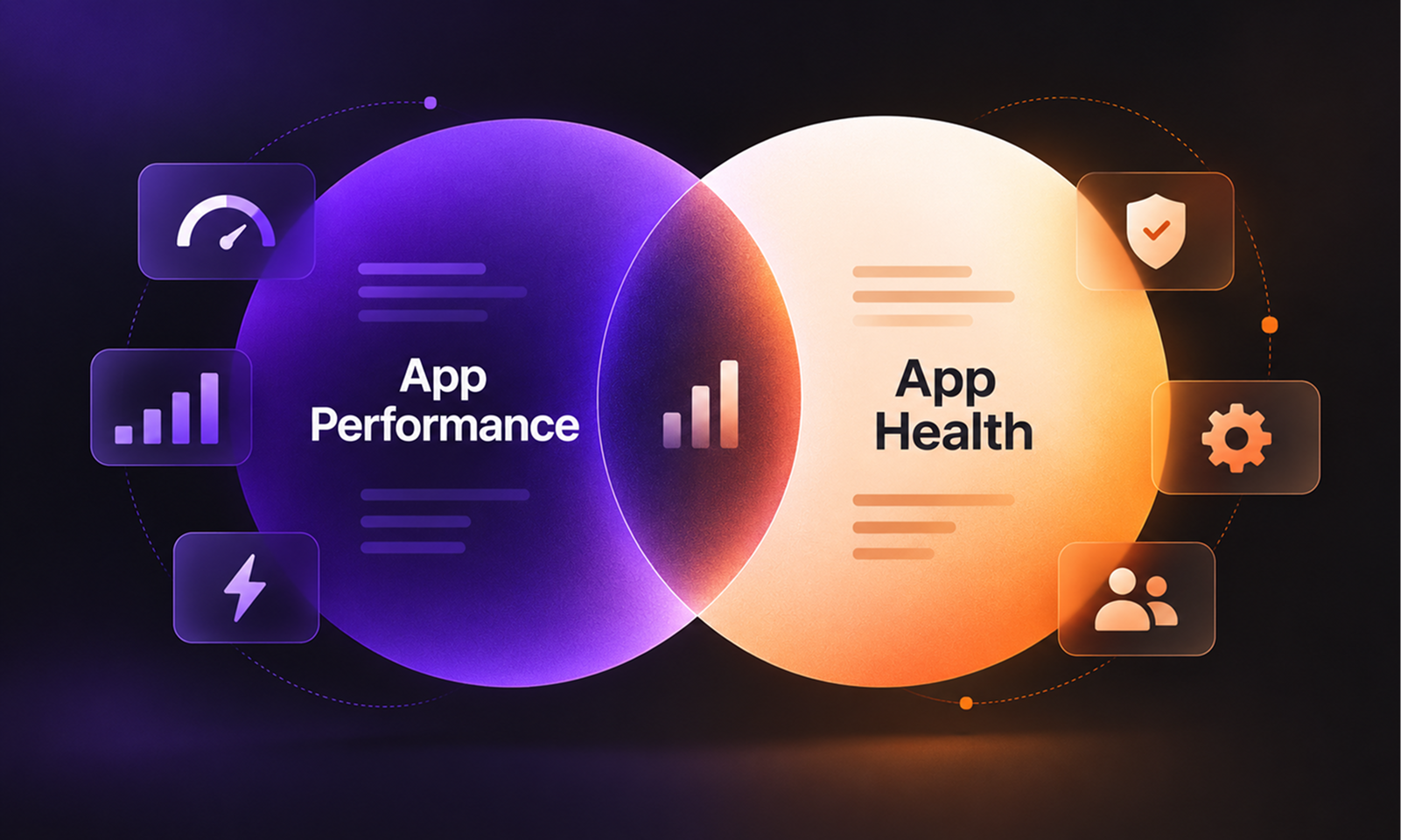
The point is that the four maintenance types describe why work is being done, while App Health describes what condition the application should be kept in.
That distinction helps prevent maintenance from becoming an undifferentiated backlog of technical tasks.
If nearly every maintenance ticket is corrective, the team is spending most of its time dealing with problems after they have appeared.
If the team only performs preventive work, meanwhile, it risks investing heavily in hypothetical future problems while ignoring real user needs.
Healthy software maintenance tends to require all four categories at different points in the application's life.
Corrective work restores expected behaviour when defects appear. Adaptive work keeps the software aligned with changes outside its control. Perfective work improves a product as teams learn more about how it is actually used. Preventive work deals with technical weaknesses before they become expensive failures.
The mix will change over time.
A newly launched application may generate more corrective work as real-world edge cases emerge, while a mature platform may need greater adaptive effort as frameworks, integrations and infrastructure age. A system preparing for significant growth may need perfective performance work alongside preventive improvements to fragile parts of the codebase.
There is no useful universal percentage for how much of each type a team should perform.
What matters is that the maintenance programme can distinguish between them and does not allow urgent corrective work to consume all available attention indefinitely.
Corrective, adaptive, perfective and preventive maintenance are sometimes taught as four definitions to memorise. In practice, they are more useful as four questions:
What is already broken?
That is corrective maintenance.
What changed around the application?
That is adaptive maintenance.
What could work better?
That is perfective maintenance.
What weakness should we address before it causes trouble?
That is preventive maintenance.
Real maintenance work will not always fit perfectly into one category, and it does not need to. The purpose of the framework is to make the intent behind a change clearer.
For Levelworks, that intent ultimately comes back to App Health. Some changes restore health, some help the application adapt, some improve its current condition, and others protect it from risks that are beginning to develop.
Together, those four kinds of work are what allow an application to keep functioning without simply waiting for the next thing to break.