

Imagine a cricket ground that skips routine pitch maintenance because the surface still looks playable.
After the first match, a few worn patches appear. Nothing serious. The next match goes ahead, then another. Each time, the grounds team decides the pitch can manage a little longer without major attention.
Then an important tournament approaches.
What should have been ordinary preparation—repairing a few worn areas and getting the surface match-ready—turns into a much larger job. The cracks have deepened, the surface has become uneven, and fixing one problem now exposes another. Instead of making a small adjustment between matches, the team is dealing with accumulated deterioration just when the pitch needs to be at its most dependable.
Software dependencies age in much the same way.
An application can skip one library update without anything visibly going wrong. It can skip the next framework release and continue serving users normally. A runtime falls a version behind, then two. Build tools, SDKs and plugins continue moving while the application stays where it is.
For a while, everything still works. The real cost appears when the application finally has to move.
Perhaps a security fix requires a supported version of a library. That version needs a newer runtime. The runtime requires a newer build tool, while an older plugin no longer works with it. A dependency update that should have been routine has now become a chain of migrations, compatibility changes and regression testing. That is why dependency updates belong in application maintenance.
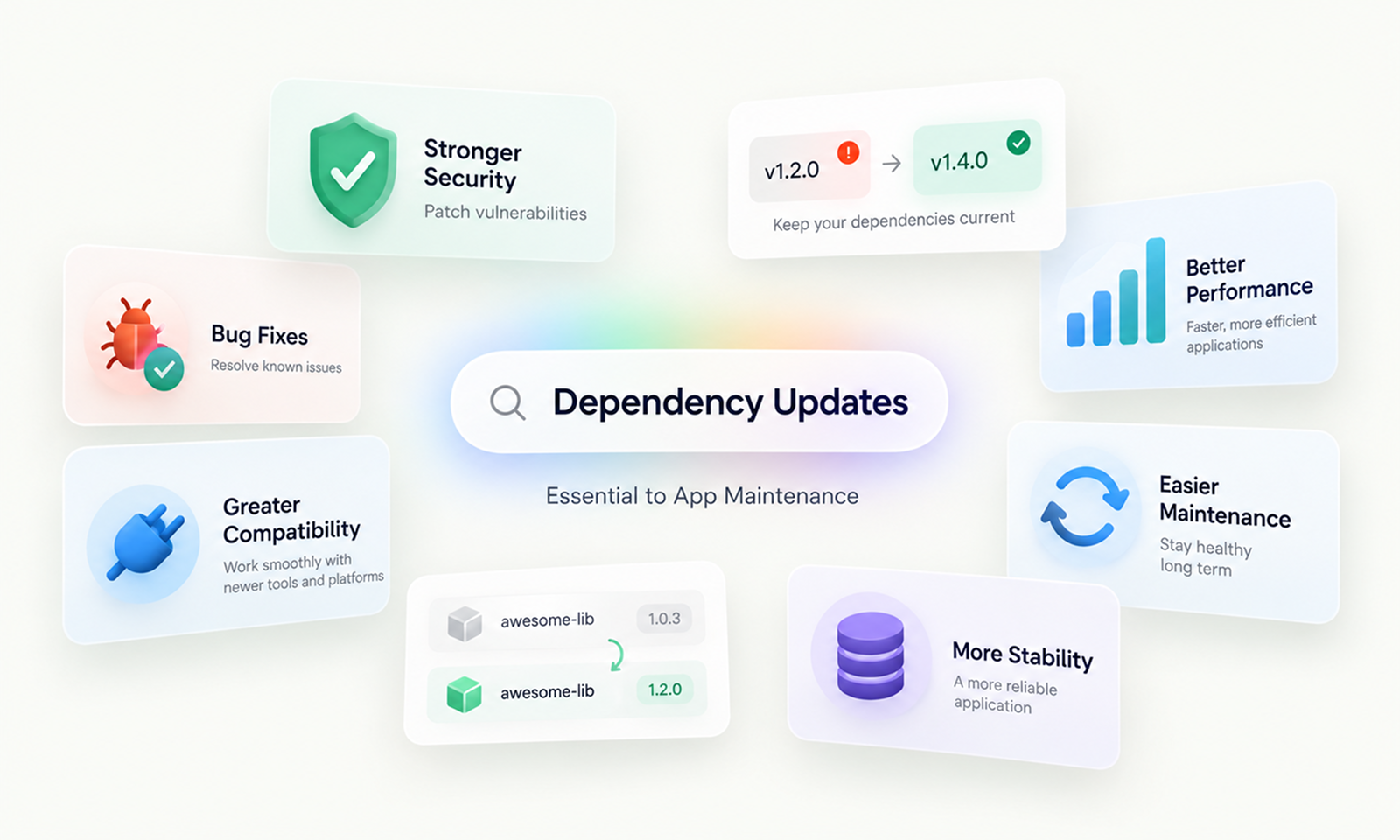
Their value is not simply that they give an application newer software. Regular updates prevent small, manageable version gaps from accumulating into a much larger maintenance problem.
A healthy dependency strategy keeps the application close enough to the software ecosystem around it that necessary change remains ordinary engineering work rather than an emergency modernization project.
Dependency maintenance is the ongoing work of identifying, evaluating, testing and adopting appropriate updates to the libraries, frameworks, runtimes, SDKs, build tools and other third-party components an application relies on.
The objective is not to run the newest version of everything immediately. It is to keep the application sufficiently current that it remains secure, compatible, supportable, buildable and reasonably easy to change.
NIST's Secure Software Development Framework recommends checking third-party components throughout their life cycle, including whether they remain maintained, whether known vulnerabilities exist and what action is needed when a component reaches end of life.
OWASP goes further in its current Top 10:2025 Software Supply Chain Failures, recommending an ongoing process for tracking direct and transitive dependencies and applying updates throughout the lifetime of an application.
For Levelworks, dependency maintenance maps most directly to Current & Updated App Health, while also supporting Secure, Compatible, Supported, Tested and Seamlessly Updatable.
When developers hear "dependency update," they often think of packages listed in files such as package.json, requirements.txt, pom.xml or Gemfile.
Those are only part of the dependency surface.
A modern application may depend on:
A direct dependency is one your project deliberately includes.
A transitive dependency arrives because one of those direct dependencies relies on something else.
For example:
Your application
└── Library A
├── Library B
└── Library C
└── Library D
Your developers may have deliberately selected only Library A, but defects, vulnerabilities or compatibility constraints in Library D can still affect the application.
OWASP specifically recommends tracking both direct and nested dependencies rather than maintaining only an inventory of top-level libraries.
Dependency maintenance therefore starts with knowing what the application actually depends on—not simply what developers remember installing.
An application can become outdated without a single line of its business logic changing.
The ecosystem around it continues moving.
Library maintainers release fixes. Runtimes add capabilities and deprecate older behavior. Browsers evolve. Mobile operating systems introduce new requirements. Cloud providers publish new SDKs. Framework versions enter and leave their support periods.
The dependency graph is therefore a moving system.
A version that was perfectly reasonable two years ago may now be:
This is why “the application still works” is a poor dependency-maintenance test.
It describes today's visible behavior while saying nothing about how difficult tomorrow's required change is becoming.
Applications inherit the strengths and weaknesses of the software they use.
A database driver may leak connections under an unusual failure condition. A UI component might contain an accessibility defect. A serialization library could mishandle an edge case. A networking package may have a bug triggered only under specific timeout conditions.
Your team can sometimes work around these problems locally.
But if the component's maintainers already fixed the underlying problem, staying sufficiently current allows you to consume that work rather than maintaining your own patch indefinitely.
There is an important qualification: a newer version can introduce its own regression.
Dependency updates should therefore be tested rather than trusted blindly.
The maintenance advantage comes from keeping version gaps small enough that adopting a useful upstream fix remains a normal application change instead of becoming a migration project.
Security is the most obvious reason to keep dependencies updated.
A dependency that was considered safe when deployed can have a vulnerability disclosed years later, even though your own application code has not changed.
OWASP's 2025 Top 10 now places Software Supply Chain Failures at A03 and explicitly identifies outdated, unsupported and vulnerable components as risk conditions. Its guidance recommends continuously inventorying component versions, monitoring vulnerability sources and upgrading dependencies in a risk-based, timely manner.
NIST's SSDF similarly recommends ongoing checks for publicly known vulnerabilities and specifically advises organizations to ensure components remain actively maintained rather than reaching end of life unnoticed.
However, updating only when a severe vulnerability appears creates a poor maintenance model.
It means every dependency remains frozen until an emergency forces movement.
If your application is already four major versions behind when a critical security patch becomes necessary, remediation may first require unrelated runtime, framework and API migration work.
A healthier approach keeps dependencies reasonably close to maintained versions so that an urgent patch has a shorter path into production.
[Internal Link: “How Outdated Dependencies Create Security Risks in Your App”]
The cost of postponing an update often does not appear immediately.
It accumulates in the distance between where the application is and where the dependency ecosystem has moved.
Imagine an application uses version 2 of a library.
Version 3 introduces a small API adjustment. The team decides not to update.
Version 4 changes configuration behavior.
Version 5 stops supporting the application's old runtime.
Version 6 removes an API that the application still calls.
Eventually the company needs a feature available only in version 6.
The upgrade is no longer:
2 → 3
It is:
2 → 3 → 4 → 5 → 6
with several years of migration notes, deprecations and compatibility changes to understand simultaneously.
This is a form of dependency debt.
It does not necessarily break production today. It makes future change more expensive and less predictable.
Renovate's upgrade guidance recommends keeping dependencies reasonably current for this reason and, for severely outdated projects, taking major upgrades in sequence rather than jumping across several major versions at once.
The practical benefit of frequent dependency maintenance is therefore not simply receiving newer software.
It is keeping individual updates small enough to understand.
Many package ecosystems use Semantic Versioning, or SemVer, to communicate the intended scope of a release.
Under the official Semantic Versioning 2.0.0 specification:
For example:
4.2.1 → 4.2.2 Patch
4.2.1 → 4.3.0 Minor
4.2.1 → 5.0.0 Major
This gives maintenance teams a useful first indication of likely update scope.
It is not a guarantee.
Projects do not all follow SemVer perfectly. A patch can accidentally contain a regression, while a minor version can expose assumptions specific to your application.
Use the version number to classify the update, then read the release notes and test what actually changed.
Sometimes a dependency cannot be fixed simply by changing its version.
Suppose:
Application
└── Package A v2
└── Package B v1
A problem is discovered in Package B, and the corrected version is B v2.
But Package A v2 only permits B v1.
You cannot safely resolve the deeper dependency without first finding a newer Package A that supports it.
GitHub's Dependabot documentation describes exactly this situation: a vulnerable transitive dependency may require upgrading its parent package because the existing parent's version constraints prevent the corrected transitive version from being selected.
This is why dependency graphs and lockfiles matter.
They reveal not only what the application explicitly requests, but what the build actually resolves.
A dependency-management process that checks only top-level packages can miss the components causing the real upgrade constraint.
A maintained dependency gives your team options.
If there is a defect, you may be able to install a patch, report an issue, follow supported migration guidance or adopt a newer version.
An abandoned component leaves fewer choices.
Your team may have to:
NIST's SSDF specifically recommends checking whether third-party components remain actively maintained and creating a plan for software that is no longer maintained or may soon become unavailable.
Support status therefore deserves monitoring alongside security vulnerabilities.
This is particularly important for frameworks and runtimes because they often underpin large areas of application code. Falling several generations behind at that level can make ordinary maintenance disproportionately expensive.
[Internal Link: “What Happens When Your App Uses an Outdated Framework?”]
A dependency does not operate in isolation.
A library may require a particular runtime. A database driver needs to support the database version in production. A mobile SDK has to work with current mobile operating systems, while a build plugin must remain compatible with the tools used in CI.
This creates chains such as:
Application code
↓
Framework
↓
Runtime
↓
Operating environment
If one layer moves and another remains frozen, compatibility gaps appear.
A team may need to upgrade the runtime because its existing version has reached end of support, only to discover that the application's framework cannot run on the newer version.
Updating the framework then exposes packages that depend on the old framework behavior.
The dependency that seemed harmless because it continued working has now become a blocker for a different maintenance requirement.
Keeping dependencies reasonably current reduces the number of compatibility boundaries that need to be crossed at the same time.
Runtime libraries are not the only components that age.
Your delivery toolchain can also drift.
Applications often rely on:
Production may continue operating normally while the build process becomes progressively harder to reproduce.
A fresh developer machine may fail to build the project. A CI environment may stop supporting a plugin. An old base image can become unsupported.
At that point, the application still runs, but changing it safely has become harder.
OWASP's 2025 software supply-chain guidance specifically includes build tools, CI/CD, IDEs, artifact repositories and other development infrastructure within the components organizations need to track and maintain.
Dependency maintenance should therefore cover the complete path from source code to production, not only packages loaded at runtime.
The argument against dependency updates usually sounds reasonable:
Every update creates change. Change creates risk. If the existing version works, leave it alone.
The problem is that this treats the choice as:
change now
versus
never change.
For a maintained application, the real choice is usually:
make smaller controlled changes periodically
versus
make a much larger forced change later.
The second option can feel safer in the short term because nothing changes today.
It often creates more change at the exact moment the business has no choice but to upgrade.
Good dependency maintenance is therefore not aggressive updating for its own sake. It is keeping the application's distance from supported versions manageable.
You cannot maintain components you cannot see.
At minimum, collect information from:
For larger applications or portfolios, a Software Bill of Materials (SBOM) can provide a more structured inventory.
NIST recommends using SBOM information to catalog third-party and open-source components and linking that inventory with vulnerability-detection capabilities.
OWASP similarly recommends maintaining an SBOM and continuously inventorying component versions.
Your team should be able to answer:
Without that visibility, dependency maintenance remains reactive.
A database driver used by every transaction deserves different attention from a test-report formatting library.
Useful prioritization factors include:
Factor
Higher priority when...
Security
A relevant serious vulnerability exists
Support
The installed version is nearing or past EOL
Criticality
The dependency affects core production workflows
Compatibility
It blocks a runtime, platform or framework upgrade
Version gap
Several versions have accumulated
Exposure
It processes sensitive or untrusted data
Migration difficulty
Delay is likely to make eventual replacement harder
This prevents dependency maintenance from becoming an exercise in making every update indicator green.
A package can legitimately remain one release behind while another needs immediate attention.
What matters is that the difference is deliberate.
Humans are bad at remembering to check dozens or hundreds of package ecosystems manually.
Dependency automation changes that.
GitHub's Dependabot version updates can monitor project manifests and create pull requests when newer versions are available. Importantly, GitHub distinguishes ordinary version updates from security updates; dependencies can therefore be kept current even when no known vulnerability is forcing the change.
Other tooling provides similar workflows.
The useful pattern is:
New dependency version
↓
Automated detection
↓
Update branch / PR
↓
CI + tests
↓
Engineering review
↓
Controlled release
Automation removes the discovery burden.
It should not remove judgment.
A dependency update may look like a one-line change:
library: 4.7.1 → 4.8.0
But that line may replace thousands of lines of code maintained outside your organization.
Before adopting meaningful updates, check:
Major releases deserve particular attention, but patch and minor releases should not be assumed risk-free.
The dependency's maintainers understand what they intended to change.
Your team understands how your application actually uses it.
Safe updating requires both perspectives.
A successful build proves only that the dependency can be compiled or installed.
It does not prove that the application behaves correctly.
Testing should reflect the role of the dependency.
For example:
Dependency updated
Useful validation
Authentication library
login, logout, SSO, sessions
Database driver
transactions, pooling, timeout behavior
Payment SDK
authorization, failure paths, refunds
UI component library
important screens, accessibility, browser behavior
Serialization library
API contracts and representative payloads
Build tool
clean builds and deployment artifacts
Strong regression coverage makes routine dependency updates much easier to accept because teams are not relying entirely on manual confidence.
This is also why projects with weak testing often fall further behind: every update feels dangerous because nobody can quickly verify whether existing behavior survived.
When a project is badly behind, updating every dependency simultaneously creates a different form of risk.
Suppose 40 packages are upgraded and checkout starts failing.
Which update caused it?
Grouping related packages can make sense when they are designed to move together. Unrelated major upgrades are usually easier to review separately.
For projects several years behind, moving through important major releases in sequence can also make migration behavior easier to understand. Renovate recommends this approach for significantly outdated projects rather than jumping straight across several major versions.
The ideal dependency change is large enough to make useful progress but small enough that the team can explain what changed.
Keeping dependencies updated does not mean installing whatever happens to be newest whenever production builds.
Version constraints and lockfiles exist to provide reproducibility.
For example, npm's current update mechanism updates packages while respecting the semantic-version constraints defined by the project and its dependencies.
The maintenance process should separate two goals:
Currency: Are we deliberately adopting appropriate newer versions?
Reproducibility: Can we identify and reproduce the exact dependency versions used by a build?
You need both.
Without currency, the application drifts.
Without reproducibility, every build can become an uncontrolled dependency experiment.
Dependency maintenance should not consist only of upgrading packages.
Sometimes the correct maintenance action is deletion.
Applications accumulate dependencies introduced for:
Unused dependencies still increase the software inventory, create update work and can increase security or compatibility exposure.
OWASP's current guidance explicitly recommends removing unused dependencies and unnecessary components as part of reducing software supply-chain attack surface.
A useful dependency review therefore asks two questions:
Does this need updating?
and
Do we still need it at all?
Healthy dependency maintenance does not mean merging every release immediately.
An update may reasonably wait when:
The important difference is between deferral and neglect.
A deferred dependency should have a documented reason, an owner and a point at which the decision will be reviewed.
Without that, temporary exceptions become permanent version drift.
A few simple indicators can reveal whether the maintenance process is working.
Consider monitoring:
Do not optimize these numbers mechanically.
Three consciously deferred updates can be healthier than zero outstanding updates achieved by automatically merging everything.
The purpose of measurement is to identify when the application's ability to update is gradually deteriorating.
A practical process looks like this:
[Internal Link: “CI/CD for App Maintenance: How Automated Releases Reduce Risk”]
Dependency updates become frightening when an application has accumulated years of version drift, an unclear dependency graph and weak regression coverage.
That fear encourages teams to postpone updates.
Postponement creates more drift.
The next update then becomes larger and riskier, reinforcing the belief that dependency updates are inherently dangerous.
The healthier cycle works in the opposite direction.
Dependencies are inventoried. New releases are discovered early. Updates remain relatively small. Automated tests provide feedback, while major migrations are scheduled before support disappears. If an urgent fix is needed, the application is close enough to supported versions that the team can reach it without first performing years of unrelated modernization.
For Levelworks, that is why dependency maintenance sits primarily within Current & Updated App Health.
It supports Secure because fixes remain reachable, Compatible because the application stays closer to the surrounding technology ecosystem, and Supported because critical components remain within maintained versions. Tested and Seamlessly Updatable matter because the strongest dependency strategy is one in which updating software becomes a predictable part of normal delivery rather than an exceptional event.
The aim is not to chase the newest release number.
It is to preserve the application's ability to move.
A dependency that is slightly behind can usually be updated through ordinary maintenance.
A dependency stack ignored for years can become a constraint on security work, platform upgrades, feature development and even the team's ability to build the application.
That is why dependency updates are not housekeeping around the edges of app maintenance.
They are one of the things that keep future maintenance possible.









