

A ticketing platform is preparing for a major sale expected to bring 12,000 concurrent users into the application.
The engineering team creates a realistic test in which users browse events, select seats, sign in and attempt purchases. At 12,000 concurrent users, checkout latency remains within the agreed target, error rates stay low and infrastructure scales normally.
That is useful evidence.
Then the team keeps increasing traffic.
At 16,000 users, latency begins climbing. At 19,000, the application tier adds more instances, but each instance opens additional database connections. The database reaches its connection limit, requests queue, retries add further pressure, and checkout begins failing.
When traffic is reduced, the system takes several minutes to recover because queued work continues competing for database capacity.
The first exercise answered:
Can the application handle the demand we expect?
The second answered:
What happens when demand exceeds what we expect?
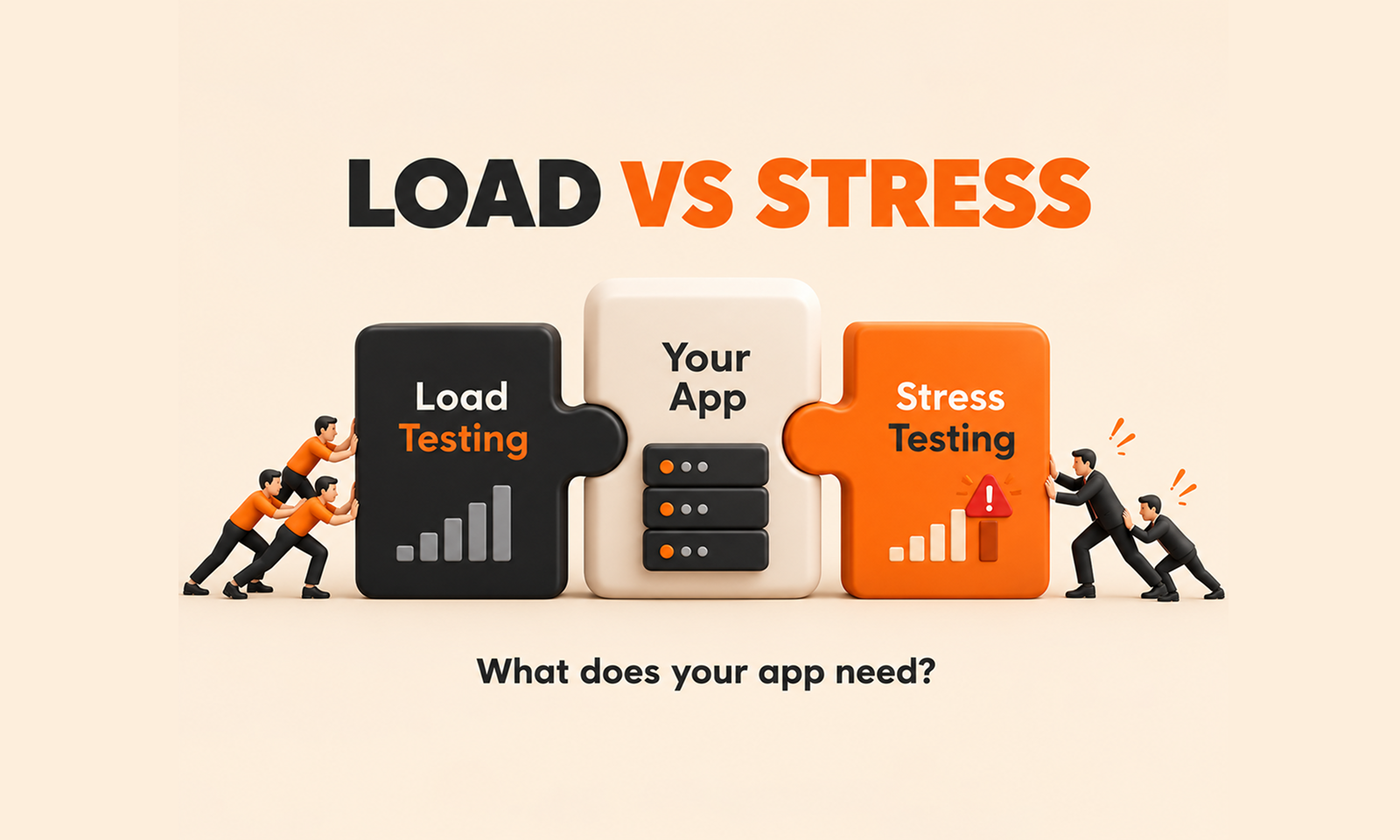
That is the practical difference between load testing and stress testing.
Load testing measures how an application behaves under an expected or representative level of demand. Stress testing deliberately pushes it beyond normal demand to reveal degradation, bottlenecks and failure behaviour.
The terminology can sometimes be confusing because "load testing" is also used as an umbrella term for several forms of performance testing. Grafana k6 avoids some of that ambiguity by calling the normal case an average-load test: a test that simulates typical production users and throughput. Its stress-testing guidance then increases that workload above normal conditions to evaluate stability and reliability under heavier demand. Grafana k6 average-load testing guidance Grafana k6 stress-testing guidance
For Levelworks, both types of testing primarily strengthen Scalable and Performant App Health. Stress testing also reveals aspects of Resilient health because the way an application behaves near and beyond its limits matters almost as much as the limit itself.
A load test starts with a workload the application is genuinely expected to experience.
That may represent:
The test then measures whether the application continues meeting its performance expectations under that workload.
Suppose an ecommerce platform normally handles 400 checkouts per minute but expects Black Friday demand to reach 1,200.
A useful load test should reproduce a realistic mix of activity around that anticipated level rather than sending 1,200 identical requests to one easy endpoint.
AWS describes load testing as validating workload performance under realistic expected user load and recommends production-like environments, representative user journeys, meaningful metrics and predefined thresholds. AWS Well-Architected load-testing guidance
A load test therefore answers questions such as:
Can we handle the traffic we expect?
Does response time remain acceptable?
Do resources remain within safe operating limits?
Does autoscaling respond as intended?
Do critical workflows continue meeting their performance targets?
A successful load test is usually expected to pass.
If the agreed requirement is that checkout p95 remain below two seconds at 1,200 transactions per minute, that is the condition the test should verify.
Stress testing changes the objective.
Instead of asking whether the application can support the planned workload, it asks what happens as the workload moves beyond ordinary conditions.
Grafana's current guidance defines stress testing as evaluating the system at loads heavier than usual and recommends choosing the stress level based on realistic risk rather than an arbitrary percentage above normal traffic.
That distinction is important.
There is no universal rule that a stress test should be exactly 150% or 200% of normal load.
For one application, the realistic stress scenario may be 30% above normal because a marketing campaign could plausibly create that demand.
For another, a product launch, ticket release or breaking-news event may produce several times the usual traffic.
A stress test may answer:
Where does performance begin degrading?
Which resource becomes constrained first?
Does the application fail gradually or suddenly?
Does autoscaling help or move the bottleneck elsewhere?
When demand falls, does the application recover normally?
Unlike an ordinary load test, seeing degraded behaviour during a stress test is not automatically a failed test.
Discovering the degradation is often the purpose.
The two tests can use nearly identical scripts.
What changes is the workload and the objective.
Load testing
Stress testing
Primary question
Can the app handle expected demand?
What happens above expected demand?
Traffic level
Normal to forecast peak
Above normal/forecast demand
Expected outcome
Performance targets should be met
Some degradation may be expected
Main insight
Production readiness
Limits and overload behaviour
Useful for
Release validation, expected peaks, baseline performance
Capacity risk, exceptional demand, failure behaviour
Typical endpoint
Target workload sustained successfully
Significant degradation or known upper boundary
Recovery observation
Useful
Particularly important
A useful way to remember the distinction is:
Load testing validates the operating zone. Stress testing explores what lies outside it.
Stress testing an application that already performs poorly under normal load provides limited value.
If the application starts failing at ordinary production traffic, pushing it to twice that volume creates more symptoms without answering the immediate problem.
Grafana explicitly recommends running average-load tests before stress tests so performance problems at normal utilization are identified first.
A sensible sequence is therefore to establish a baseline, test expected demand, correct significant problems, and only then push the application beyond that expected range.
AWS similarly recommends testing a range of conditions—including typical traffic, peaks, rapid increases and heavier demand—while evaluating whether base infrastructure, scaling settings, quotas and resiliency mechanisms behave as expected. AWS guidance on testing scalability and performance requirements
[Internal Link: “How to Know if Your Application Is Ready to Scale”]
A performance test is useful only if the workload resembles something meaningful.
Suppose your application normally receives:
Testing millions of requests against /health proves very little about whether the application can support real users.
The workload should reproduce the operations that create meaningful system pressure.
That includes not only the ratio of requests but also factors such as:
Grafana's guidance for website load testing recommends adapting the test model to the actual application and distinguishing between backend protocol-level load and browser-level behaviour rather than assuming one request generator represents the complete user experience. Grafana k6 website load-testing guidance
The objective is not to generate the largest number on the report.
It is to reproduce a workload whose result helps you make a production decision.
An application does not need to crash to have exceeded acceptable capacity.
Consider this result:
Traffic
p95 response time
Error rate
500 req/s
450 ms
0.1%
1,000 req/s
520 ms
0.1%
1,500 req/s
760 ms
0.2%
1,800 req/s
2.4 s
0.3%
2,100 req/s
6.8 s
1.2%
2,300 req/s
9.1 s
8.7%
If you measure only whether the application returns errors, you might conclude that it comfortably supports almost 2,000 requests per second.
Users would tell a different story.
The meaningful boundary may begin around 1,500 or 1,800 requests per second, where latency starts deteriorating sharply.
A good test therefore watches the shape of performance as load changes.
Track at least:
Microsoft's Azure Load Testing documentation likewise emphasizes correlating client-side performance results with server-side resource metrics to identify where bottlenecks emerge as test load increases. Microsoft Azure Load Testing overview
Every application has a limit.
The important engineering information is often not the final number of requests the system processed before failing, but what became constrained first.
That might be:
Imagine application CPU is only 45% when failures begin.
Adding application instances would probably not solve the problem if every instance is waiting for an exhausted database connection pool.
This is where stress testing becomes useful for architecture and capacity decisions. It exposes the relationship between additional demand and constrained resources.
Google's SRE guidance recommends using load testing rather than historical assumptions to establish current resource-to-capacity relationships. It also notes that Google tests services beyond rated capacity to understand whether they behave acceptably when overloaded. Google SRE production service best practices
A useful stress-test report should therefore be able to say:
At approximately 1,850 transactions per second, database connection wait time becomes the dominant source of latency. Increasing application instances beyond this point does not improve throughput.
That is much more actionable than:
The test reached 2,000 users.
Stress testing should not stop the moment the graph turns red.
Watch how the application returns to normal.
Suppose overload creates a backlog of 500,000 background jobs.
Traffic then falls back to normal.
Customer requests may remain slow because those queued jobs continue consuming database connections, CPU or downstream API capacity.
A second possibility is that autoscaling created a large number of application instances that continue placing pressure on a constrained database even after incoming demand falls.
Recovery behaviour can therefore reveal problems the peak itself does not.
Ask:
Does latency return to baseline?
Do queues drain at a reasonable rate?
Do error rates normalize?
Does autoscaling reduce excess capacity safely?
Do downstream systems recover?
For Levelworks, this is where stress testing extends beyond Scalable and Performant App Health into Resilient. Crossing a limit may be unavoidable; remaining unhealthy long after demand has returned to normal is a different problem.
Heavy testing can be disruptive.
A test that intentionally drives an application beyond normal capacity can affect shared infrastructure, consume third-party quotas, send notifications, create real transactions or trigger security controls.
Use an environment that reflects production closely enough for the results to be meaningful, but control its side effects.
AWS recommends production-like environments and sanitized or synthetic data for performance testing. It also warns that large-scale tests in cloud environments need to respect provider policies because extreme synthetic traffic can resemble an attack.
If testing in production is considered necessary, the controls should be considerably stronger. Teams need clearly tagged test traffic, appropriate staffing, careful timing and ways to prevent test data from contaminating business reporting or customer activity.
The goal is to discover how the system behaves under stress without creating the exact outage you were hoping to prevent.
Performance-testing terminology overlaps, but a few distinctions help.
A spike test emphasizes how the application reacts to a sudden jump in demand.
A soak test emphasizes sustained workload over an extended period to expose problems such as resource leaks or gradual degradation.
A stress test primarily asks how behaviour changes at unusually high load.
There can be overlap, and one test can incorporate characteristics of another, but the underlying questions remain different.
If your concern is a sudden ticket-sale surge, the rate of increase may matter as much as the final traffic level.
If your concern is whether memory usage grows after twelve hours, duration becomes more important than peak demand.
This article stays focused on load versus stress testing, but defining the exact risk before choosing the test shape prevents teams from calling every large performance test a "stress test."
Most important production applications eventually benefit from both load and stress testing, but not necessarily at the same frequency.
Use load testing when you need evidence that:
Use stress testing when you need to understand:
A typical testing program might use repeatable load tests more frequently—perhaps around significant releases or performance-sensitive changes—while running heavier stress tests before major launches, expected traffic events, architectural changes or important capacity decisions.
[Internal Link: “Application Capacity Planning: Preparing Your App for Growth”]
This distinction prevents confusing reports.
For a load test, pass criteria might be:
At 1,500 requests per second, checkout p95 remains below 1.5 seconds, error rate remains below the agreed threshold, and no critical resource exceeds its safe operating range.
That is a conventional pass/fail target.
A stress test might instead define success as:
Increase load progressively until significant performance degradation appears, identify the constrained resource, record behaviour at overload and verify that the application returns to normal after load is reduced.
The application may produce errors during that stress test and the test can still be valuable.
You intentionally went looking for the boundary.
The failure would be performing the exercise and learning nothing about why the boundary exists.
Performance testing has little value if the outcome is a chart stored in a project folder.
A load test may show that expected traffic is safe but database utilization leaves little headroom.
A stress test may show that autoscaling works until additional instances overwhelm a shared dependency.
Those observations should affect engineering decisions.
They might change:
AWS recommends repeating load testing after meaningful system changes and integrating relevant performance tests into delivery processes so teams can compare results against defined KPIs rather than treating performance testing as a one-time exercise.
[Internal Link: “How to Scale an Application Without Sacrificing Performance or Reliability”]
Load testing and stress testing are closely related because both create artificial demand and observe how an application responds.
Their value comes from asking different questions.
A load test asks whether the application can support the traffic the business expects while continuing to meet acceptable performance targets.
A stress test deliberately moves beyond that operating range to discover how much margin exists, where degradation starts, which resource becomes the constraint and whether the application behaves sensibly once normal conditions return.
For Levelworks, both provide evidence about Scalable and Performant App Health, while stress testing can reveal important weaknesses in Resilient behaviour. Observable matters throughout, because a test that shows increasing latency without revealing where the time or resource pressure went leaves the team with a symptom rather than an explanation.
The practical decision is therefore not really load testing or stress testing.
Start with the question you need answered.
If it is:
“Will the application work well at the demand we expect?”
run a load test.
If it is:
“What happens when our expectations are wrong and demand keeps rising?”
that is when you need to stress it.









