

A production hotfix is ready at 6:15 p.m.
The code change is small: a few lines correcting an authentication timeout. But releasing it requires an engineer to open an internal document, build the application locally, copy an artifact to a server, change two configuration values, restart a service and run several checks from memory.
The engineer has performed the process many times.
Tonight, one configuration step is missed.
The hotfix itself is correct, yet the deployment creates a second incident.
This is the kind of risk CI/CD is designed to remove from routine application maintenance. Not every production failure comes from bad code; some come from inconsistent builds, skipped tests, environment differences, forgotten commands or releases that depend too heavily on somebody executing a long sequence correctly.
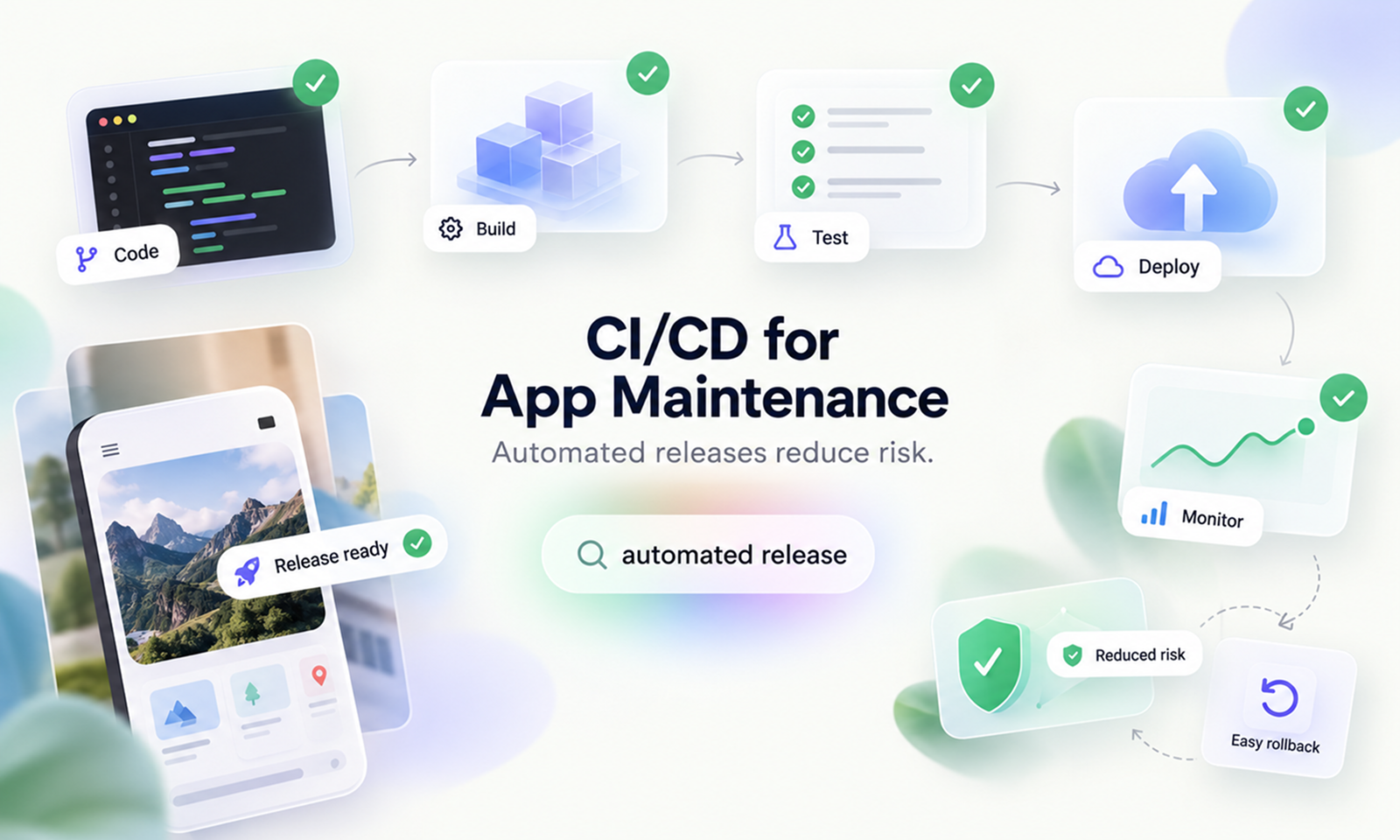
CI/CD reduces maintenance risk by converting those repeated release activities into a defined, versioned and automated process that produces the same checks and deployment steps each time.
DORA defines continuous delivery as the ability to release changes quickly, safely and sustainably on demand, supported by practices such as continuous integration, automated testing, deployment automation and version control.
For Levelworks, this sits most directly within Seamlessly Updatable App Health. It also strengthens Tested, Version Controlled, Current & Updated and Resilient, because maintenance becomes safer when changes can move through repeatable verification and release processes rather than one-off production procedures.
CI/CD combines related but distinct practices.
Continuous integration (CI) means developers integrate changes frequently and those changes trigger automated builds and tests. DORA describes CI as working in small batches, integrating into the main codebase regularly and receiving fast automated feedback when a change introduces a regression.
Continuous delivery takes the resulting tested software and keeps it in a deployable state so it can be released safely when the team chooses.
Continuous deployment usually goes one step further: qualifying changes can proceed into production automatically without a manual release decision.
An application does not need fully automatic production deployment to benefit from CI/CD.
A maintenance pipeline can still automate:
Code change
↓
Build
↓
Automated tests
↓
Security / quality checks
↓
Package artifact
↓
Deploy to staging
↓
Validation
↓
Production approval
↓
Automated deployment
The important shift is that humans decide what should change, while automation handles as much repetitive execution as practical.
A written release checklist can be useful.
It is still executed by humans.
Imagine a deployment procedure with 18 steps. An experienced engineer may follow all 18 correctly, while another accidentally performs step 12 before step 11. During an emergency fix, somebody may skip a validation step to save time.
The more frequently maintenance changes occur, the more often that process is exposed to human variation.
AWS's Well-Architected guidance recommends build and deployment management systems specifically because automation reduces errors associated with manual release processes and ensures software is built and deployed using the correct configuration.
Automation turns:
“Remember to perform these steps.”
into:
“These steps are what the pipeline performs.”
That distinction is central to release safety.
A reliable pipeline does not become tired late at night, skip a command because the incident is urgent or build the release slightly differently because another engineer is on call.
A maintenance change may be tiny and still have consequences elsewhere.
A developer updates a validation rule to fix one customer problem, but the changed function is also used by another workflow. Without automated checks, that relationship may be discovered only after release.
CI shortens that feedback loop.
DORA recommends that commits trigger both an automated build and fast automated tests so integration problems and serious regressions are identified close to the change that caused them.
For maintenance work, pipeline checks might include:
Not every test needs to run at the same stage. Fast checks should give developers rapid feedback, while heavier suites may run later.
The important point is that the release path itself enforces agreed checks.
A test that exists but is routinely forgotten during hotfixes provides much less protection than one that automatically blocks an unsafe build from progressing.
[Internal Link: “Regression Testing: How to Update an App Without Breaking Existing Features”]
Another source of release risk appears when software is built differently in different environments.
A developer runs a production build on a laptop. Another engineer builds the same commit a day later using a slightly different runtime or dependency state. The resulting artifacts are assumed to be equivalent, but they may not be.
A healthier CI process creates a canonical build artifact from a known source revision.
DORA's CI guidance recommends an automated build process that creates repeatable packages suitable for deployment to downstream environments. Its code-maintainability guidance also emphasizes reproducibility and the ability to trace deployed packages back to the exact dependencies used to create them.
The maintenance flow then becomes:
Commit 8f31a2
↓
CI build
↓
Artifact 8f31a2
↓
Test
↓
Stage
↓
Production
The artifact that passed testing is the artifact promoted toward production.
You are not rebuilding something slightly different immediately before release.
This makes troubleshooting easier too. If production behaves incorrectly, the team can identify which source revision and artifact were actually deployed rather than trying to reconstruct how somebody built it.
CI/CD works especially well when changes remain relatively small.
Suppose a maintenance release contains:
If production fails, the number of plausible causes is large.
Now imagine those same changes moving through the pipeline independently over time.
When a release creates a regression, there are fewer differences to investigate.
DORA identifies working in small batches as an important continuous-delivery capability because smaller changes create faster feedback and make problems easier to detect, understand and correct.
This does not mean deploying every individual line of code.
It means avoiding unnecessarily large maintenance bundles created solely because releasing software is painful.
When releases are manual and risky, teams naturally postpone them and accumulate changes. The eventual release becomes larger, which makes releasing feel even riskier.
Automation helps reverse that cycle.
Long-lived applications often develop deployment knowledge that exists partly in people's heads.
One engineer knows which environment variable has to be changed first. Another knows that a service needs an extra restart after a particular migration.
That may work while those people are available.
It is fragile maintenance.
A good delivery pipeline makes operational knowledge executable.
Deployment scripts, infrastructure definitions and important configuration belong in version control where practical, allowing the release procedure to be reviewed and evolved alongside the application.
DORA recommends version-controlling not just application source code but configuration and scripts involved in building and deploying the software.
Microsoft's Well-Architected guidance similarly recommends deploying infrastructure changes through CI/CD and infrastructure-as-code processes to reduce configuration drift between environments.
[Internal Link: “How Git Makes Application Maintenance Safer”]
A maintenance fix can work perfectly in staging and fail in production because production was configured differently.
Perhaps somebody manually changed a server six months ago.
Perhaps a package was installed directly during an incident.
Perhaps staging runs a different configuration because nobody updated the setup document.
These differences are known as configuration or environment drift.
CI/CD reduces this risk when application configuration, infrastructure and deployment procedures are managed consistently and reproducibly.
The objective is not necessarily to make every environment identical—production naturally has different capacity, credentials and some configuration—but to make the process that creates and changes those environments intentional.
A pipeline should not depend on somebody remembering that production “needs an extra setting.”
That setting should be represented in the deployment system.
Automation does not have to mean uncontrolled deployment.
A mature pipeline can stop changes that do not meet defined release conditions.
For example:
Build succeeds
↓
Tests pass
↓
Security checks pass
↓
Staging validation succeeds
↓
Production approval
↓
Deploy
GitHub Actions environments, for example, can require approval before a deployment job proceeds, restrict which branches may deploy, protect environment secrets and use custom deployment protection rules.
The exact platform is less important than the principle.
A maintenance pipeline should express the risk controls the organization actually requires.
A routine low-risk fix might progress automatically after testing, while a database migration or sensitive production change could still require explicit approval.
Automation and human judgment are not opposites.
Good CI/CD automates the repeatable evidence so human attention can be reserved for decisions that genuinely require it.
Automating deployment does not require sending a change to every production instance simultaneously.
Safe rollout strategies can expose a change gradually.
AWS's Well-Architected Framework recommends techniques such as rolling releases, canary releases, feature flags, traffic splitting and blue/green deployment to limit the impact of defective production changes.
For example:
New version
↓
5% of production traffic
↓
Health remains normal
↓
25%
↓
50%
↓
100%
If error rates increase at 5%, the deployment can stop before every user is exposed.
The pipeline becomes a control system rather than a file-copying mechanism.
This is particularly valuable for maintenance fixes where the change is intended to reduce risk but could contain an unexpected side effect.
The detailed architecture of zero-downtime and progressive deployment belongs in its own topic; the important CI/CD principle is that release automation can control exposure rather than making deployment an all-or-nothing event.
[Internal Link: “Zero-Downtime Deployment: How to Update an App Without Taking It Offline”]
Pre-release tests cannot reproduce every production condition.
A deployment may succeed technically while the application itself is unhealthy.
Perhaps the process starts but cannot connect to the database. A required secret is missing. Routing is incorrect, or a critical endpoint now returns errors.
A pipeline can perform post-deployment smoke checks against a small set of essential behaviors.
NIST's current DevSecOps reference model describes automated deployment pipelines that install and configure software, verify correct installation and configuration, and collect evidence about security, performance and operational health.
A useful smoke test might verify:
This should not become a duplicate of the entire regression suite.
Its purpose is to answer quickly:
Did the deployed application become operational in the environment where it is supposed to run?
A safe release process assumes that some changes will fail.
The goal is not perfect prediction.
It is fast detection and controlled recovery.
DORA's software-delivery metrics include change fail rate—the proportion of deployments requiring immediate intervention—and failed deployment recovery time, which measures how quickly teams recover from those failures.
CI/CD helps both sides.
Because deployments are traceable, the team knows which change entered production.
Because deployment is automated, a previous known-good artifact can often be redeployed through the same mechanism.
And because monitoring can be connected to rollout stages, the pipeline can halt progression when health signals deteriorate.
Microsoft's safe-deployment guidance recommends halting deployment and beginning recovery when validation detects problems rather than continuing to expose additional users.
There is an important caveat.
A code rollback cannot automatically undo every production effect.
Database migrations, external transactions and irreversible data changes may require their own compatibility and recovery design. CI/CD makes the release process controlled, but application changes still need to be designed with rollback behavior in mind.
Incidents create pressure to move quickly.
That is precisely when teams are most tempted to bypass the normal pipeline.
A developer may think:
The fix is only two lines. I can change production directly faster.
That saves minutes while discarding many of the controls intended to prevent a second incident.
A mature CI/CD process should have a fast path, not an unsafe path.
A hotfix might skip a lengthy optional test stage, for example, while still requiring:
The pipeline should be fast enough that using it during an incident is easier than bypassing it.
Otherwise emergency maintenance will reveal that the process was designed only for ideal conditions.
CI/CD reduces one class of operational risk while creating an important system that must itself be protected.
Deployment pipelines may have access to:
A compromised pipeline can therefore become a path into production.
Microsoft's secure-development guidance describes build and deployment pipelines as high-value targets and recommends strong access control, careful credential handling, isolation and monitoring for build agents.
NIST's DevSecOps reference material similarly describes CI/CD pipelines as integration points for build, testing and security tooling while emphasizing controlled environments and artifact integrity.
So “automate everything” is incomplete advice.
The safer rule is:
Automate production changes through a controlled pipeline whose own access and integrity are protected.
When a customer reports a problem immediately after release, the maintenance team should be able to answer:
CI/CD can create this chain automatically.
That makes incident investigation considerably easier than reconstructing a release from chat messages and shell history.
A useful release record might look like:
Commit:
8f31a2c
Build:
2026.10.21.418
Tests:
Passed
Artifact:
app-2026.10.21.418
Staging:
Passed validation
Production:
Deployed 18:42 UTC
Result:
Healthy
The point is not bureaucracy.
It is knowing exactly what happened.
Automation amplifies whatever process it encodes.
If the build is unreliable, automating it gives you unreliable builds faster.
If tests are flaky, every pipeline run produces ambiguous feedback. If releases contain enormous batches of unrelated change, automatic deployment does not make them easier to understand.
Before adding more CI/CD complexity, fix the basic flow.
A useful maintenance pipeline should produce:
Pipeline property
Why it matters
Repeatable build
Same source produces a predictable artifact
Fast feedback
Defects are found close to the change
Reliable tests
Failures mean something
Traceable artifact
Production can be tied to source
Controlled promotion
Only qualified changes proceed
Consistent deployment
Humans do not improvise release steps
Post-release validation
Successful deployment is verified
Recovery path
Failed changes can be contained quickly
The objective is not to build the most elaborate pipeline.
It is to remove avoidable uncertainty from maintenance releases.
Pipeline activity alone is not evidence of improvement.
A team can run thousands of automated workflows and still have an unreliable release process.
DORA's delivery metrics offer a more useful view by considering both throughput and instability, including deployment frequency, change fail rate and failed deployment recovery time.
For application maintenance, useful questions include:
Are releases becoming smaller and easier to understand?
How often do maintenance deployments require emergency correction?
How quickly can a failed deployment be detected and recovered?
How often are releases blocked by legitimate automated checks?
How often are teams bypassing the pipeline?
That last question can be particularly revealing.
If engineers regularly need manual production access because the pipeline cannot handle routine maintenance scenarios, the pipeline still has important gaps.
Application maintenance means changing production software repeatedly over many years.
Bugs need fixing. Dependencies need updating. Configuration changes. Security patches arrive. Existing behavior needs improvement.
If every one of those changes requires a handcrafted release, each maintenance task carries unnecessary operational uncertainty.
CI/CD changes that relationship.
The code may vary from release to release, but the path used to build, test, validate and deploy it becomes familiar and repeatable.
For Levelworks, that is the core of Seamlessly Updatable App Health. Tested ensures maintenance changes are checked before progressing, Version Controlled provides the source of truth for what changed, and Resilient is strengthened when failed releases can be contained and recovered without improvisation.
Automation does not eliminate release risk.
It removes much of the variation that should never have been part of the risk in the first place.
The useful question is therefore not:
“Can we automate deployment?”
It is:
“Can every maintenance change move through a release process that is repeatable, testable, traceable and safe enough that deploying a small fix does not become a production event of its own?”









