

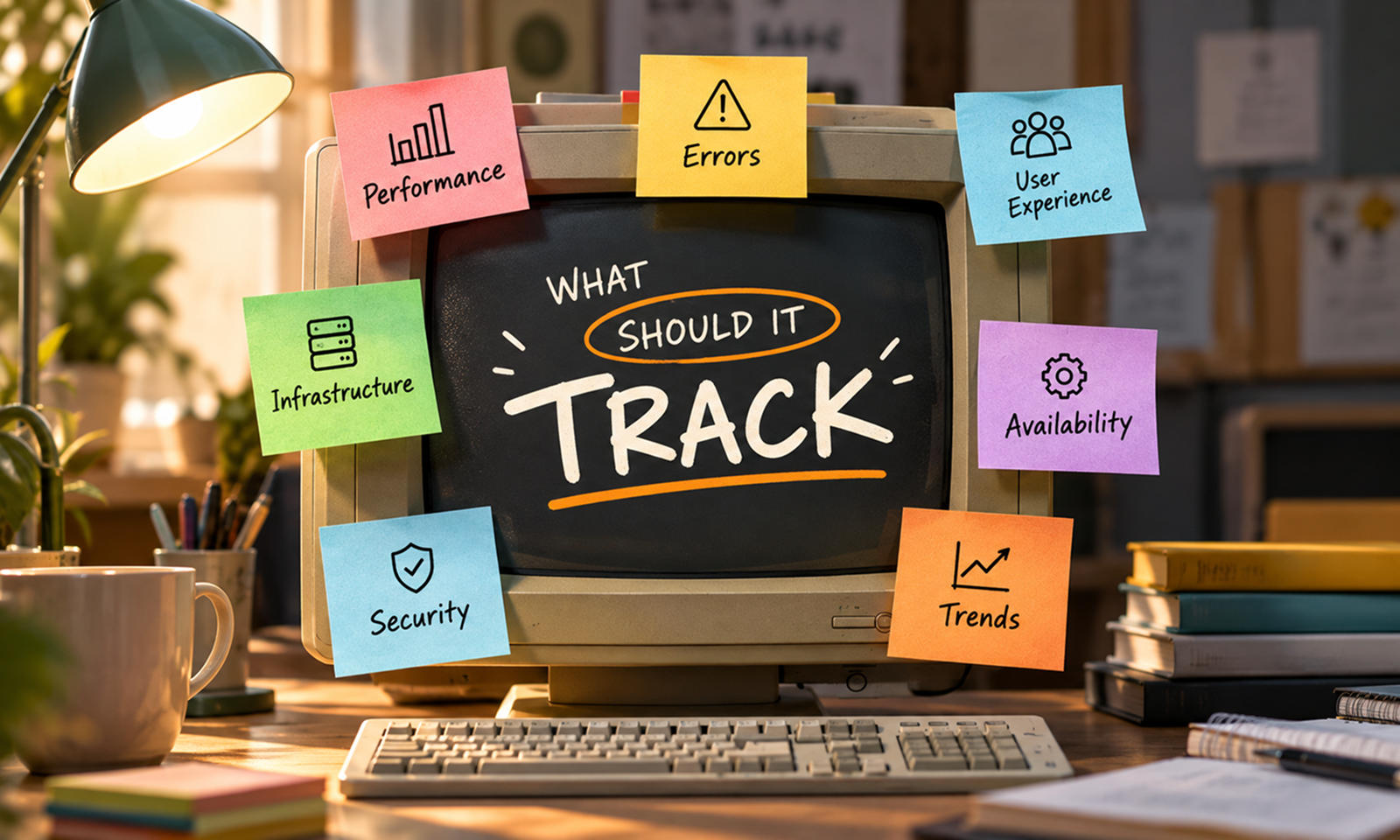
A monitoring dashboard can contain dozens of graphs and still fail at its most important job.
Imagine opening one during a production incident. CPU looks normal. Memory is green. Request volume is steady. Several service-specific charts show nothing obviously unusual.
Yet customers cannot complete checkout.
The dashboard contains plenty of data, but it does not answer the question everyone actually cares about:
Is the application working properly for users right now?
That should be the starting point for application monitoring dashboard design.
A useful dashboard is not an inventory of every metric your technology stack can produce. It is a deliberately selected view of the signals that tell you whether important application outcomes are succeeding, whether service behaviour is deteriorating and where to investigate when something changes.
AWS describes dashboards as a human-centric view into workload telemetry and recommends balancing technical metrics with business KPIs rather than overloading dashboards with every available measurement. AWS Well-Architected: Create Dashboards
For Levelworks, a good monitoring dashboard supports the Observable dimension of App Health. It should give the people responsible for an application a useful answer to three questions:
Is the application healthy now? What is changing? Where should we look next?
The top of the dashboard should answer whether the application is delivering the function it exists to provide.
For an ecommerce application, that might include:
For a SaaS product, it could include:
These are more meaningful than beginning with infrastructure.
AWS recommends defining workload KPIs around business outcomes because technical metrics alone can show apparently normal system behaviour while the workload is failing to achieve its actual purpose. It gives examples such as orders successfully processed as indicators that may expose workload problems faster than infrastructure measures such as CPU utilisation. AWS Well-Architected: Establish KPIs
A useful dashboard hierarchy therefore begins:
User outcome → application behaviour → dependencies → infrastructure
rather than:
Infrastructure → more infrastructure → perhaps the user eventually
That ordering also helps during incidents. If checkout success is normal, a temporary infrastructure spike may not deserve immediate attention. If checkout success has fallen sharply, the team immediately knows that the problem has crossed from technical abnormality into user impact.
[Internal Link: “Application Monitoring: What Should You Monitor in a Production App?”]
Once the dashboard establishes whether important workflows are succeeding, the next layer should describe how the application is behaving.
Google SRE's four golden signals remain a useful framework:
Google recommends these four because together they describe how long work takes, how much demand the application is receiving, what proportion is failing and how close the system is to its limits. Google SRE: Monitoring Distributed Systems
Show latency for the operations users actually care about.
Avoid displaying only an overall average.
A service where 95% of requests complete in 250 ms and 5% take five seconds may still show an acceptable-looking average while a significant group of users experiences poor performance.
For important APIs and workflows, useful dashboard values might include:
Google SRE specifically recommends distinguishing successful-request latency from failed-request latency because combining them can produce misleading results.
A top-level dashboard does not need latency for every endpoint. Show the workflows whose deterioration would matter, then link to service-level dashboards for deeper inspection.
Traffic gives other signals context.
An error rate of 1% means something different at 50 requests per minute than at 50,000.
Track whichever measure represents demand accurately for your application:
Traffic is especially useful when viewed alongside latency and errors. A sharp increase in latency during a large traffic increase points the investigation in a different direction from latency deterioration while demand remains unchanged.
A useful dashboard shows errors as rates, not merely totals.
Track failure around business-relevant operations rather than merging everything into one global error number.
For example:
Google SRE also points out that not every application failure appears as an HTTP 500. A request can technically return successfully while still delivering the wrong result or violating an expected service objective.
Your dashboard should therefore represent failure in terms meaningful to the application, not merely protocol status codes.
Saturation is where the dashboard starts looking forward rather than only describing the present.
Track the resources that can genuinely constrain the workload:
Do not show every resource merely because a metric exists.
Google SRE recommends emphasizing the resources that are actually constrained and notes that systems often begin degrading before reaching 100% utilisation. It also treats impending resource exhaustion—such as a disk predicted to fill soon—as part of saturation monitoring.
The main dashboard should make shrinking headroom obvious.
Aggregates can hide severe local failures.
Suppose an application handles one million requests each day, while only 5,000 involve subscription renewal.
If every renewal request starts failing, the overall application success rate might barely move.
The business impact could still be significant.
Keep a small set of business-critical journeys visible independently.
For example:
Application
Critical journeys worth isolating
Ecommerce
login, search, checkout, payment
SaaS
login, core product action, billing
Fintech
authentication, payment, transfer
Internal platform
login, submission, approval
Data product
ingestion, processing, report generation
The exact journeys should come from the application, not from a generic monitoring template.
This is one reason the same dashboard design should not simply be copied from one product to another.
For web applications, backend latency alone does not describe what users experience.
A server may respond quickly while customers wait because of frontend JavaScript, rendering, network conditions or device limitations.
Where frontend experience matters, include a concise real-user view.
Google recommends Real User Monitoring for understanding Core Web Vitals because field data captures performance from actual users, devices and network environments rather than controlled conditions alone. Google: Measuring Web Vitals
Depending on the product, the dashboard could show:
Do not turn the main operational dashboard into a frontend analytics platform.
The objective is to show enough real-user information to reveal when backend health looks normal but the actual experience does not.
An application is only as usable as the systems required to complete its important workflows.
A payment processor, identity provider, email service or external API can create substantial user impact while every service you operate remains healthy.
For important dependencies, consider showing:
Dependency information should answer:
Is the application unhealthy because of something inside our system or something it depends on?
That distinction is particularly valuable during an incident.
If checkout latency rises and payment-provider latency rises at exactly the same time, the team immediately has a more useful place to start investigating.
User-facing requests receive plenty of monitoring attention because their failures are immediate.
Background processing can fail much more quietly.
An application may remain responsive while invoices stop generating, data imports stall or emails remain in a queue for hours.
Useful dashboard signals for asynchronous processing include:
The last one deserves particular attention.
A daily job that has produced no errors today may appear healthy simply because it never started.
Showing time since last success exposes that failure mode immediately.
Databases can generate hundreds of useful metrics, but the main application dashboard should contain only those most likely to explain application health.
Depending on the system, that might include:
The dashboard is not the place for every database diagnostic.
Its job is to make a relationship visible.
If API latency is rising while database-query latency and connection waits rise simultaneously, the team knows where to drill down.
This reflects a broader dashboard principle: the overview should identify where the problem probably is; specialist dashboards should help determine exactly what is happening there.
A metric without change context forces engineers to perform unnecessary detective work.
Suppose errors begin increasing at 11:04.
If the dashboard also shows that application version 5.7 completed deployment at 11:01, that information matters immediately.
Annotate or otherwise expose significant events such as:
Do not assume every problem following a deployment was caused by it.
The purpose is correlation, not automatic blame.
A release marker simply allows a responder to ask:
Did behaviour change at the same time the application changed?
That can substantially shorten an investigation.
A dashboard containing only current numbers can make a deteriorating application look healthy.
Database usage at 70% may appear harmless.
If it was 42% two months ago, the trajectory deserves attention.
Likewise, p95 latency of 800 ms might be acceptable against the application's objective but concerning if it has increased from 350 ms over four releases.
Show enough history to answer:
AWS recommends analysing workload metrics using both granular current data and historical data for reference, and revisiting KPIs as business requirements change.
For many operational dashboards, the trend is more useful than the current number alone.
[Internal Link: “How to Detect App Problems Before Your Users Report Them”]
Logs and traces are vital diagnostic tools.
They generally belong behind the monitoring dashboard rather than dominating it.
OpenTelemetry describes metrics, traces and logs as complementary signals: metrics capture runtime measurements, traces represent request paths and logs record events. OpenTelemetry: Signals
That suggests a natural workflow:
Dashboard → identify abnormal signal → drill into trace/log/detail
For example:
The main dashboard should help initiate this investigation rather than attempting to contain every piece of telemetry itself.
[Internal Link: “Logs, Metrics and Traces: The Foundations of Application Observability”]
A strong dashboard should communicate hierarchy.
Grafana's dashboard guidance recommends designing dashboards to answer a clear question, creating a logical progression from general to specific, and using drill-downs rather than placing everything on one screen. It also stresses reducing cognitive load so somebody looking at the dashboard during an incident does not have to work hard simply to understand what each chart means. Grafana: Dashboard Best Practices
A useful application dashboard might therefore be organized like this:
Everything more detailed becomes a drill-down.
This is much easier to use under pressure than forty equally prominent panels.
Aggregated dashboards can create misleading confidence.
Suppose the application runs in three regions:
An overall number may make the application look reasonably healthy depending on traffic distribution.
The same effect appears when combining:
Grafana recommends comparing like with like and avoiding aggregates where larger signals can drown out smaller but important ones.
Use segmentation where the distinction changes the operational decision.
Do not segment everything indiscriminately, or the dashboard becomes unreadable.
A number means more when the viewer knows whether it is good.
If p95 latency is 820 ms, should anyone care?
The dashboard should make relevant thresholds, SLOs or expected ranges visible where possible.
That might mean:
Avoid decorative red/yellow/green colouring without defined meaning.
A metric should become red because it crossed a threshold that represents genuine concern, not because the designer thought 80% “felt high.”
Trying to serve executives, product managers, on-call engineers and database specialists with one dashboard often produces something useful to nobody.
The high-level application dashboard should answer overall health questions.
Separate views can then answer deeper questions:
Grafana recommends designing dashboards for a clear purpose and intended audience rather than allowing uncontrolled dashboard sprawl.
A product manager may care about transaction success and user experience.
An on-call engineer needs that same impact information plus error, latency, dependency and resource signals.
A database specialist may need query plans and lock details that would only distract everyone else.
Hierarchy is better than one enormous dashboard.
For many production applications, the following provides a strong starting point:
Dashboard area
What to show
Why
Critical outcomes
workflow success, key transactions
Shows whether the app is fulfilling its purpose
Availability
essential services/workflows
Identifies major interruption
Errors
rates by important service/workflow
Reveals failing behaviour
Latency
p50/p95/p99 where useful
Shows user-facing performance
Traffic
requests, users, transactions
Gives other metrics context
Saturation
constrained resources/headroom
Shows approaching limits
User experience
RUM/frontend health
Reveals client-side degradation
Dependencies
latency, errors, timeouts
Separates internal from external problems
Database
query latency, connections, key constraints
Explains common application bottlenecks
Async processing
queues, job failures, job age
Detects silent background failures
Recent changes
deployments/configuration
Connects behaviour to changes
Navigation
alerts, logs, traces, runbooks
Makes investigation faster
This should be customized rather than copied unchanged.
An application with no asynchronous work does not need queue panels. A payment product may need deeper transaction visibility, while a content application may care much more about frontend performance and delivery.
Do not assume someone is continuously watching the dashboard.
AWS explicitly recommends dashboards as a complement to alerts, not a replacement for them.
Dashboards are excellent for:
Alerts are what should bring important changes to someone's attention when nobody is looking.
The dashboard then becomes the place they go for context.
That separation prevents teams from building a beautiful operational view and assuming visibility alone guarantees timely detection.
Monitoring dashboards naturally expand.
Every incident produces another panel. Every new component adds more telemetry. Eventually the dashboard becomes an archaeological record of everything the team has ever worried about.
Review it periodically.
For each panel, ask:
What question does this answer?
Who uses it?
What decision would change if this metric changed?
Does it belong on this dashboard or in a drill-down view?
Grafana recommends actively reducing dashboard sprawl and periodically removing dashboards or panels that no longer serve a useful purpose.
This is not cosmetic cleanup.
Every unnecessary graph competes for attention with the information that actually matters during an incident.
The real test of an application monitoring dashboard is not how impressive it looks on a large office screen.
Imagine an engineer opening it during an incident at 2 a.m.
Within a short time, they should be able to determine:
That is what an Observable application should make possible.
The dashboard does not need to explain the entire system.
It needs to turn a large amount of production telemetry into a small number of useful signals, organized around the application outcomes that matter.
If every metric is visible but the person looking at the screen still has to ask “So—is the app actually healthy?”, the dashboard is tracking too much of the wrong thing.









